
Free Browser CTF Training: From Linux Basics to Live Flags
A terminal-first CTF path for learning Linux security in your browser, with open practice, optional guidance, and live Range challenges.
From Your First grep to Your First Live Flag
If you want to learn cybersecurity, the first obstacle is often not the concept itself. It is everything around it.
Find a course. Create an account. Install a VPN. Download a virtual machine. Wait for a target to start. Work out which tools you are supposed to use. Try to understand a walkthrough written for somebody who already knows Linux.
By the time you reach the challenge, you have spent your entire learning session on setup.
CLI-Games is designed to shorten that distance. Open a browser, start a terminal, and begin practicing. No VM or VPN is required. The first training scenarios are available without an account, and an account is only needed for things such as saving progress and entering live events.
But the point is not simply that the challenges run in a browser. The point is what happens after you open it:
Practice a skill in a terminal, get guidance when you need it, solve it independently, and then transfer that skill to a live target.
That is the loop we are building.
The CTF market is full of good answers
There is no shortage of good places to learn security. Different platforms solve different parts of the problem.
TryHackMe is excellent at guided onboarding, approachable explanations, gamification, and large learning paths. Hack The Box Academy is strong on role-oriented training, technical depth, and professional security workflows. picoCTF combines accessible practice with the energy of educational competition.
There are also durable alternatives built around a particular learning model. OverTheWire uses progressive shell games to teach Linux and security fundamentals. pwn.college puts the terminal at the center of a structured, free cybersecurity education platform. PortSwigger's Web Security Academy goes deep on web application security with a large collection of free interactive labs.
A learner has enough to worry about without adding a confusing landscape on top. In this crowded field, we are meant to complement those options, not compete with them. CLI-Games is:
A free, instant, terminal-first CTF learning environment for people who want structure without gates and live practice without infrastructure pain.
From training to competition
The CTF experience at CLI-Games has two connected surfaces:
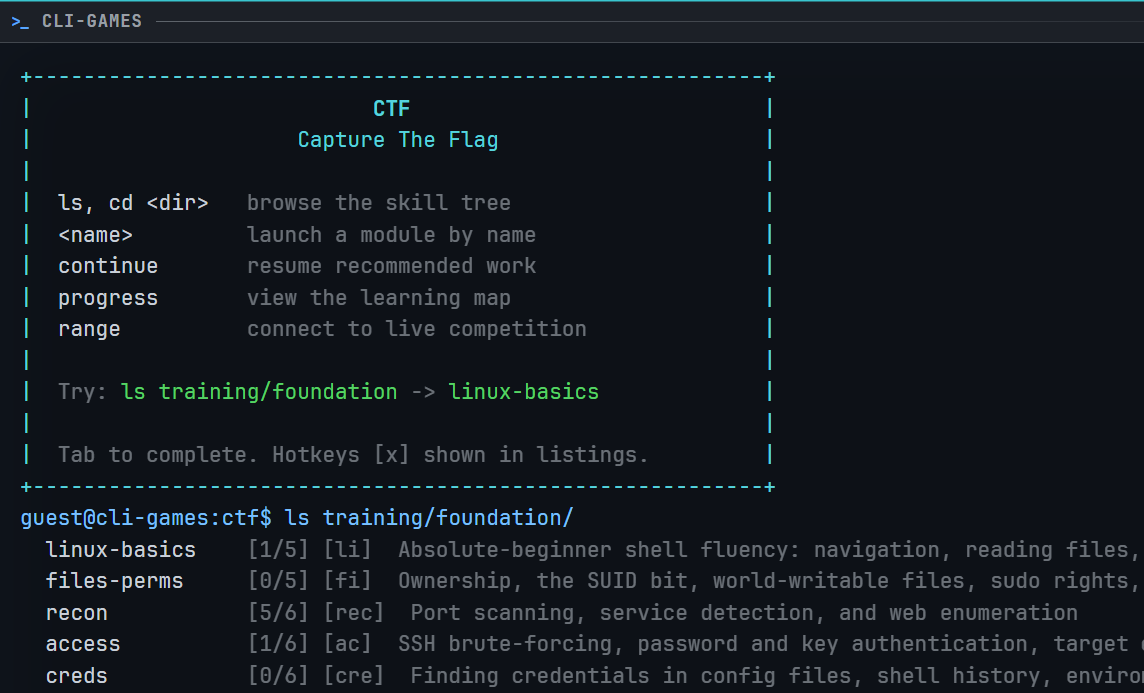
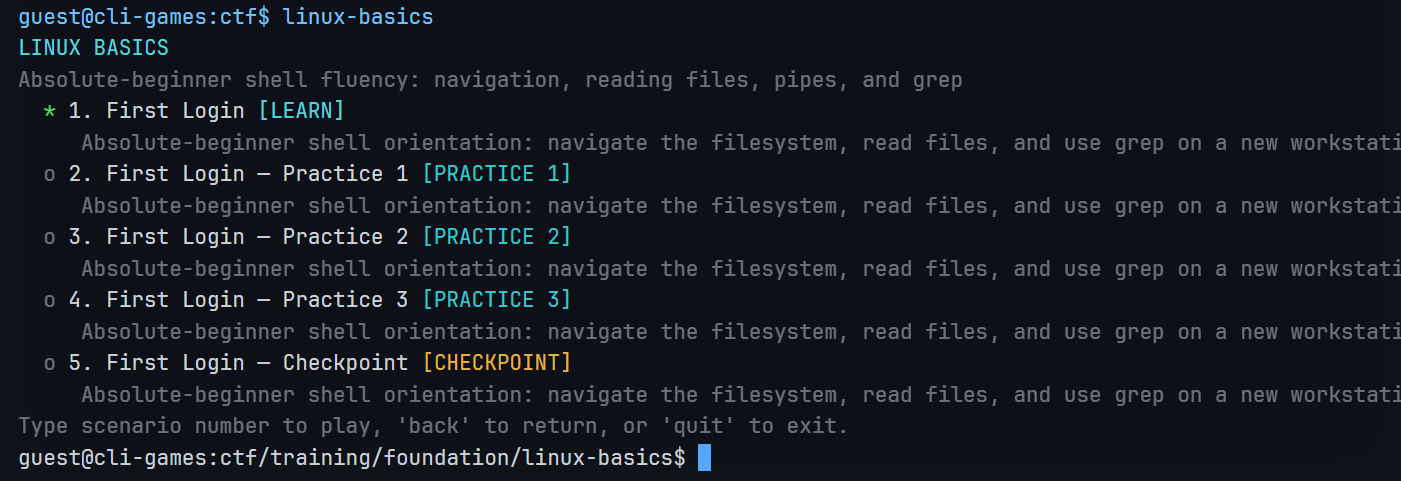
First, there is the scenario library: an open skill map covering command-line fundamentals, text processing, scripting, reconnaissance, exploitation, forensics, and analysis. You can follow the recommended route or open any available scenario and explore.
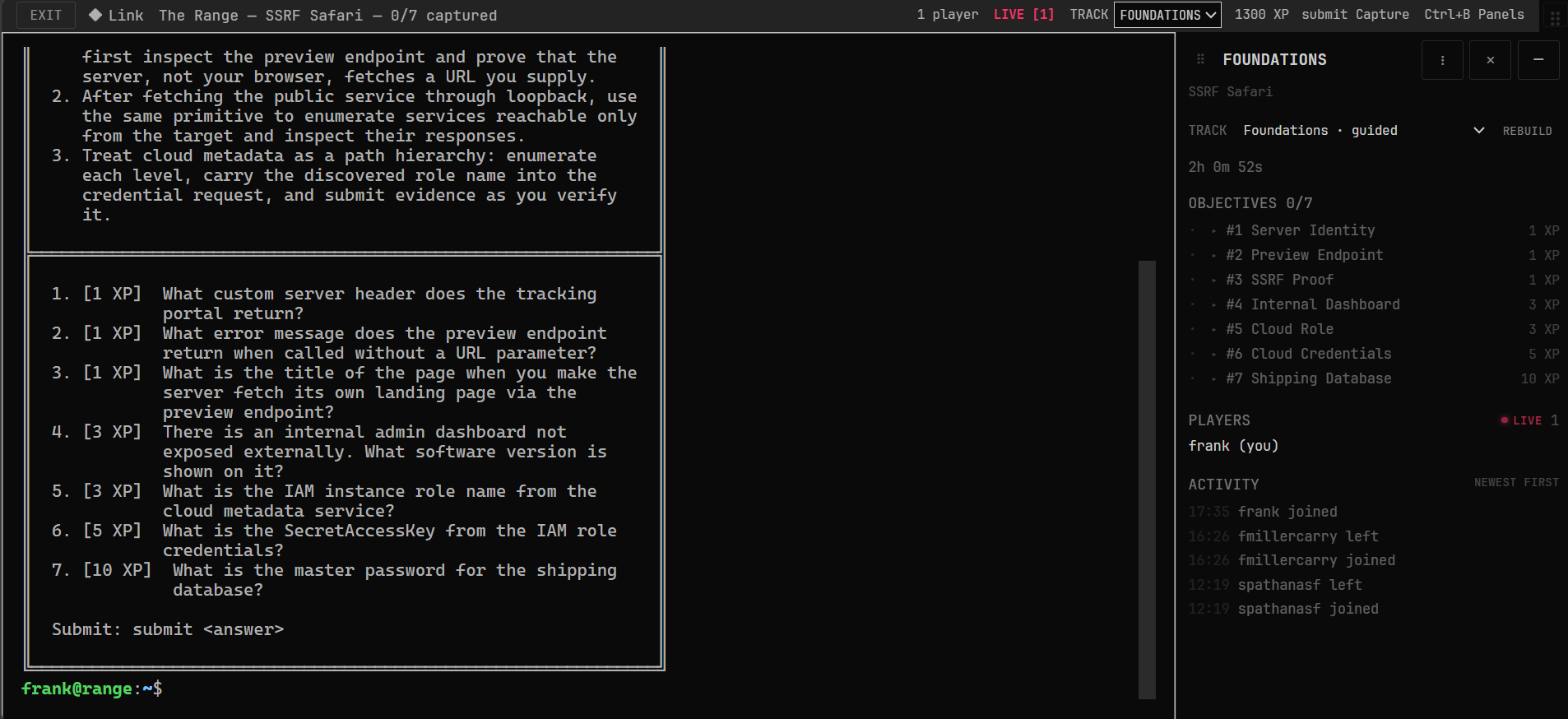
Second, there is The Range: a rotating live challenge on isolated Linux infrastructure, with a shared target, a personal attack box, live objectives, and event scoring.
The scenario library teaches and rehearses. The Range tests transfer.
That distinction matters. A learner should not finish a guided exercise and mistake recognizing a solution for being able to find it independently. The training environment gives you a place to build the habit. The live target asks whether the habit survives contact with an unfamiliar system.
A terminal-first learning path
Terminal fluency may seem like the busywork before the interesting part. We could not disagree more. It is the substrate the interesting part is built on.
You need to be comfortable moving through a filesystem, searching and transforming output, chaining commands, inspecting permissions, reading logs, enumerating services, and keeping track of evidence. Those habits carry into almost every CTF category and into ordinary work in development, operations, incident response, and security.
CLI-Games starts with those habits and builds outward. The available material spans a shared command-line foundation plus offensive and defensive directions. You can practice Linux fundamentals, reconnaissance, scripting, credential attacks, access control, command injection, privilege escalation, lateral movement, web exploitation, forensics, and analysis as the library grows.
The working paths make that shape visible: a foundation route for command-line fluency, an offensive route for exploitation and movement, and a defensive route for forensics, artifact recovery, and incident analysis. They are recommendations, not prerequisites. You can choose a direction or roam.
The important part is the shape of the path:
- The map makes prerequisites and relationships visible.
- Every available scenario remains open for exploration and review.
- Recommendations tell you what is likely to help next without locking the door on anything else.
- The same terminal habits recur in different contexts, so the learner builds intuition instead of memorizing one solution.
This is structured pedagogy without a locked curriculum.
Guidance when you need it, independence when you are ready
There are two bad ways to teach a difficult technical skill.
One is to reveal nothing and call the resulting confusion rigor. The other is to hand out every command and call the resulting repetition mastery.
Here, you will find a middle path.
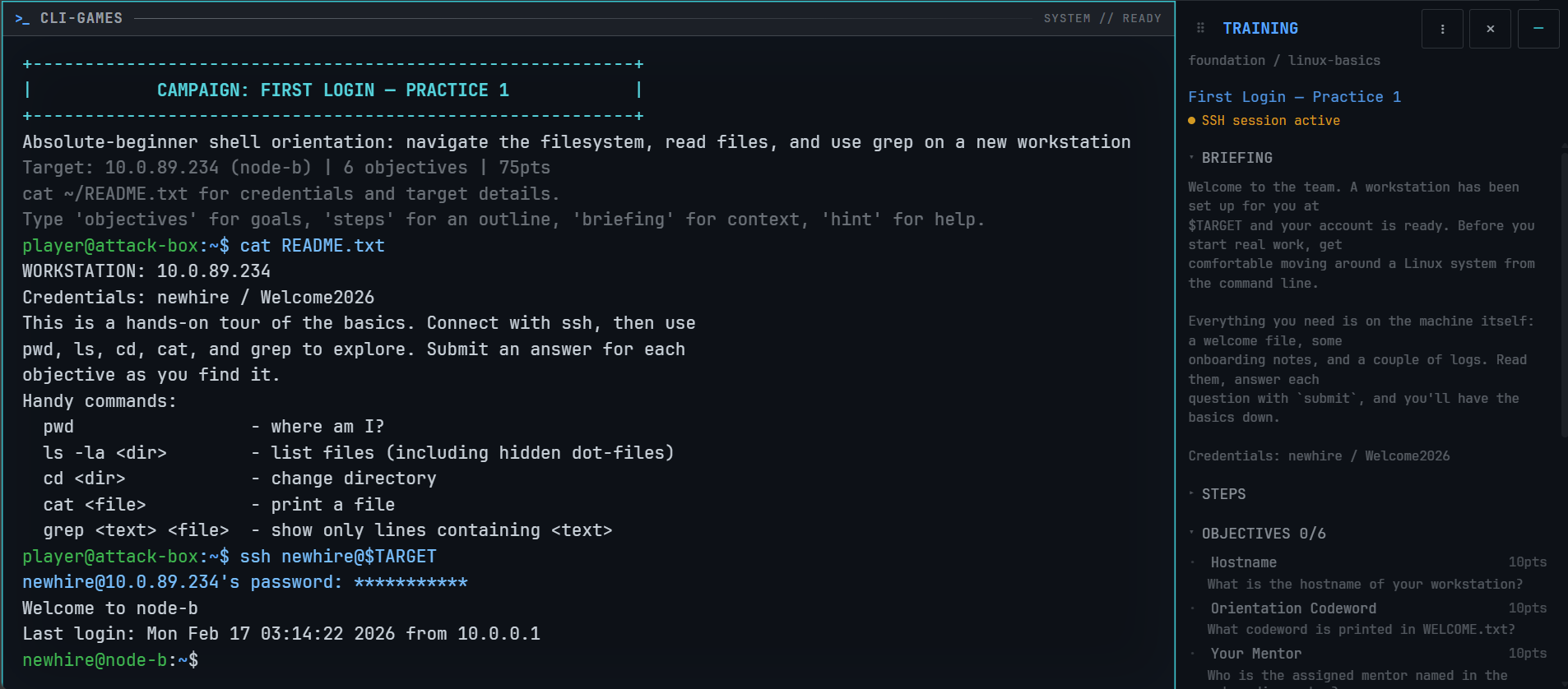
Scenario objectives and context explain what kind of evidence you are looking for. Guidance is available when a technique is new or a learner has reached a real dead end. Then the context can be closed and the learner can solve from the terminal, documentation, and available evidence.
The goal is neither to make help inaccessible nor to hold your hand. We provide help when you need it, without forcing it on you when you do not.
That is why the training includes independent, closed-book checkpoints. A learner should be able to say, “I know what to try next,” even when the exact scenario, filename, service, or vulnerability has changed.
The scenarios are also repeatable by design. A learner can return to a known environment, try a different attack path, save a checkpoint, and compare what changed. That makes practice more useful than a one-time flag hunt and gives the learner a stable place to build intuition.
The Range is where practice becomes transfer
Once you have thoroughly exercised a concept in training, it is time to hit The Range.
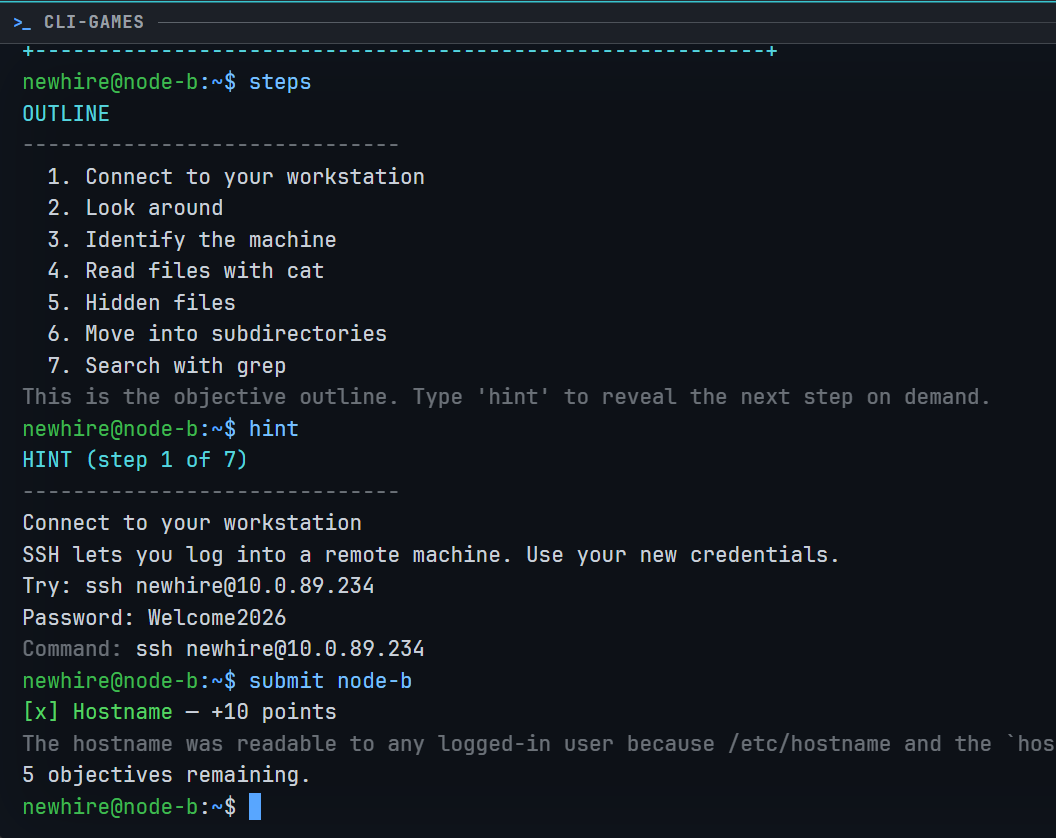
Each live event gives players a shared target and an isolated personal attack box. You investigate what is actually running, follow the evidence, recover the objectives, and submit the answers while the event scoreboard updates.
The commands are familiar; the target is not.
That is the difference between repeating a supplied walkthrough and learning to operate. Training gives you a controlled place to rehearse enumeration, access, exploitation, and analysis. The Range makes you decide what matters first.
Read how The Range works, or enter it from the browser at /range when an event is running.
Who is this for?
The ideal CLI-Games CTF learner is technically curious but not yet comfortable in the terminal.
They might be a student, junior developer, sysadmin, career changer, or security-curious programmer. They understand that files, processes, networks, and code are involved, but they do not yet have the reflexes to know what to enumerate, what evidence matters, or which command to try next.
They want to learn by doing. They want a path, but they do not want to be forced through a locked sequence. They want to practice privately before joining a public competition. They may be working from a Chromebook, a school computer, a work machine, or any other environment where installing a lab is not worth the trouble.
They are looking for the first moment when a terminal stops feeling like a wall and starts feeling like an instrument.
If you are already doing advanced exploit development, enterprise penetration testing, or specialized web research, there are platforms built specifically for those depths. CLI-Games is the on-ramp and the practice loop that helps a curious person get ready for them.
Start with the terminal
The promise is simple:
Go from “I am not comfortable in a terminal” to solving your first CTF-style Linux problem in the browser—free, with optional guidance, and with a live target waiting when you are ready.
Start with CTF training. Read the general CTF guide if the format is new, then open the training game when you are ready to solve. When you want to test the transfer, visit The Range.
The browser gets you through the door. The terminal is where the skill is built.