Crater
Make the next shot count.
Read the wind. Leave a mark.
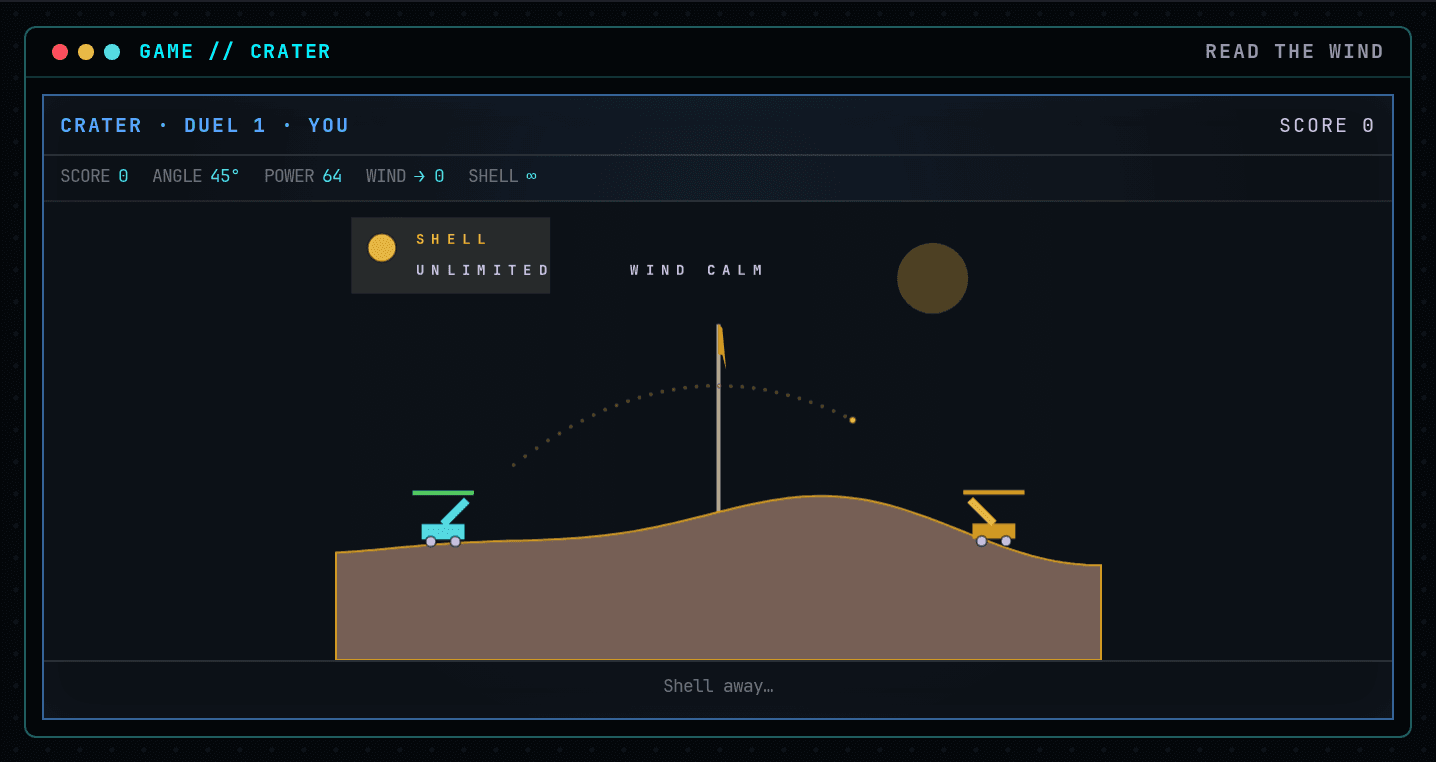
Drive the cyan rig and trade ballistic shots across a hillside that changes with every impact. Choose angle, power and shell, read the skyline wind flag, then adjust from the previous impact. Survive an endless succession of tougher artillery rivals.
Crater Policy
Read the wind, choose a shell and survive an endless chain of increasingly difficult artillery duels.
Durable workspace
~/craterRead PLAY-GUIDE-5.txt; start with aim-v3.sh. Your files remain yours between runs.
Sensors
scanstatestatus
Actions
leftrightupdownaimpowerweaponmovefirewait
Practice evidence
gif · replay · run receipt · local practice
Script runs are unranked practice. Histograms compare submitted results.
Ruleset: crater-v4
Practices: Bash loops · state observation
Run $ crater --script →What you will see
Left / A - raise angle
How this command behaves
- Built for a solo session
- Build and keep real Bash files in ~/crater
- Automation records include gif and replay and run receipt
- Runs in the browser; nothing to install
- Playable entirely from the keyboard
Start it from the prompt
Usage
crater | crater --scriptAliases
None
Guides from the wiki
Ready when you are. The terminal will open directly into Crater.
Run $ crater →