Cinderwake
Two minutes. One lantern. A growing swarm.
Move through the swarm, gather embers and build a weapon combination while the battle keeps running.
Your lantern fires automatically. Move through a two-minute swarm, collect fallen cyan embers and grow a build from six gifts. Cinder fan adds bolts, Quick fuse fires faster, Halo cuts nearby enemies, Thunder blasts clusters, Long reach gathers embers and Second wind keeps you alive.
Gift choices never pause the fight. A fixed tray shows three distinct symbols; the highlighted gift equips after eight seconds. Choose another with 1, 2 or 3, take it immediately with Space, or cycle the automatic choice with X. Survive until dawn to win; the result screen shows your score and survival time.
Cinderwake Policy
Keep a lantern alight through a two-minute swarm. Gather embers and grow a weapon build.
Durable workspace
~/cinderwakeRead PLAY-GUIDE.txt; start with policy.sh. Your files remain yours between runs.
Sensors
scanstatestatus
Actions
leftrightupdownholdreleasechoosewaitcycle
Practice evidence
gif · replay · run receipt · local practice
Script runs are unranked practice. Histograms compare submitted results.
Ruleset: cinderwake-v3
Practices: Bash loops · state observation
Run $ cinderwake --script →What you will see
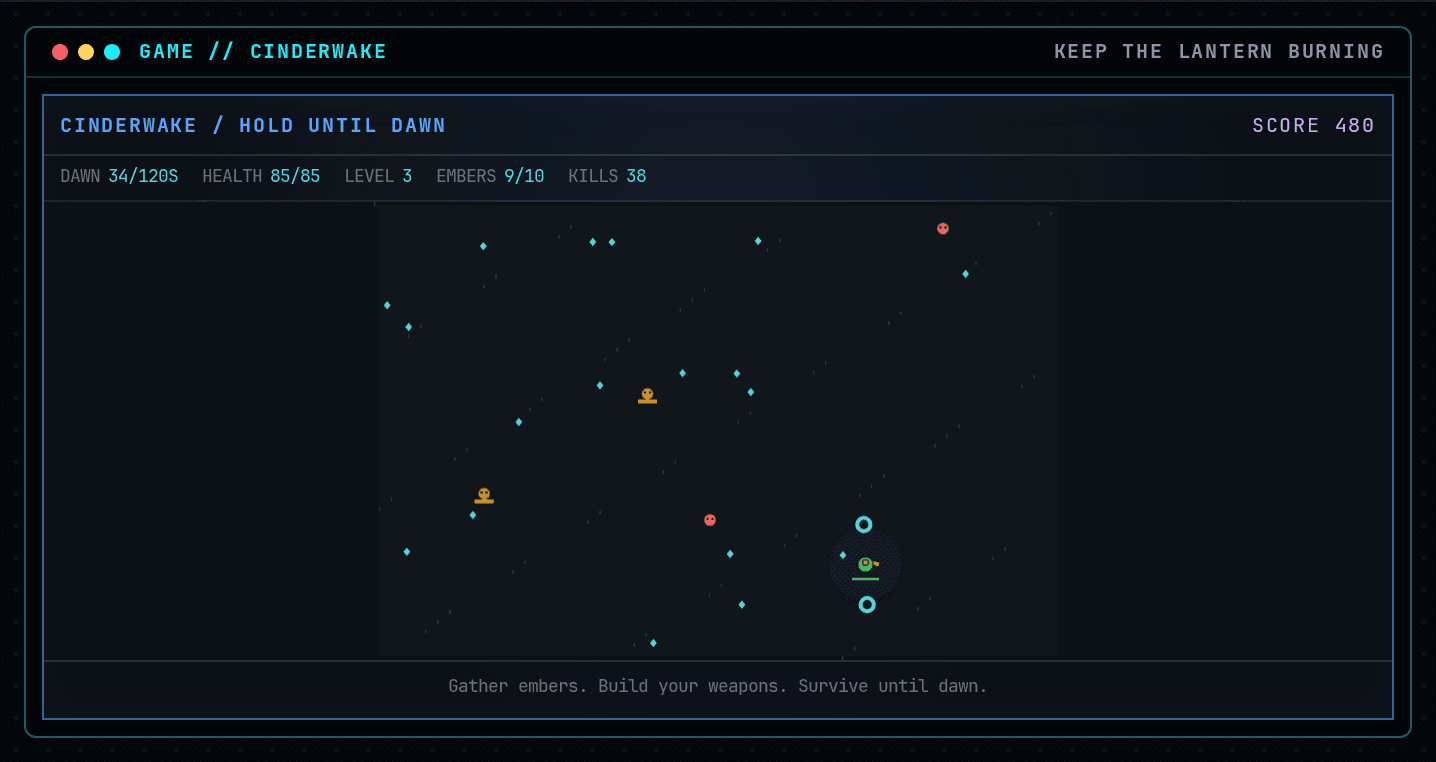
Arrows or WASD to move. Your lantern aims and fires automatically.
How this command behaves
- Built for a solo session
- Build and keep real Bash files in ~/cinderwake
- Automation records include gif and replay and run receipt
- Runs in the browser; nothing to install
- Playable entirely from the keyboard
Start it from the prompt
Usage
cinderwake | cinderwake --scriptAliases
None
Guides from the wiki
Ready when you are. The terminal will open directly into Cinderwake.
Run $ cinderwake →