Lamplight
Take a breath. Take a step.
A short puzzle expedition with keys, sentinels, discoveries and undo.
Move the green lantern bearer to the brass key, then the glowing stairs. The first room is safe. Boots in room two unlock a two-cell sprint; a flask in room three unlocks healing. Collect shards and sharper blades along the way.
Sentinels warn before striking, and nothing moves until you act. Step away, strike first or undo a mistake—even after defeat. Reach the third exit to win. A direct route is quick; collecting everything takes more thought.
Lamplight Policy
Explore three little puzzle rooms, learn abilities as you find them and undo mistakes.
Durable workspace
~/lamplightRead REVISION-4.txt; start with rooms-v3.sh. Your files remain yours between runs.
Sensors
scanstatestatus
Actions
leftrightupdowndashhealundowait
Practice evidence
gif · replay · run receipt · local practice
Script runs are unranked practice. Histograms compare submitted results.
Ruleset: lamplight-v3
Practices: Bash loops · state observation
Run $ lamplight --script →What you will see
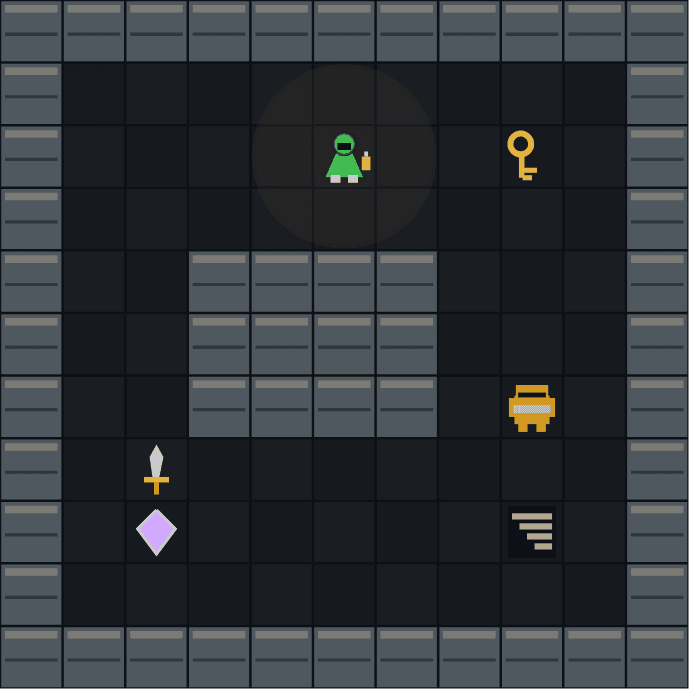
Arrows to move. Find the key and reach the stairs. U to undo.
How this command behaves
- Built for a solo session
- Build and keep real Bash files in ~/lamplight
- Automation records include gif and replay and run receipt
- Runs in the browser; nothing to install
- Playable entirely from the keyboard
Start it from the prompt
Usage
lamplight | lamplight --scriptAliases
None
Guides from the wiki
Ready when you are. The terminal will open directly into Lamplight.
Run $ lamplight →