Thornhand
Read the attack. Build your answer.
A compact six-fight deckbuilder with visible enemy intentions and reversible card plays.
Build a deck through six fights in the thorn woods. Each turn gives you three energy to spend. A card's top-right number is its energy cost; the effects are written below its art. Play attacks, shields and combinations before ending your turn. The enemy's next action and predicted damage are visible above your hand.
Use arrows to bring a card forward and Space to play it. On touch screens, tap a rear card to select it, then tap the front card to play. Esc, U or Undo reverses your last card and its effects until you end the turn or accept a reward. Defeat a foe, choose a new card and heal before the next fight.
Thornhand Policy
Build a little deck through six fights. Read enemy intentions and combine poison, blades and block.
Durable workspace
~/thornhandRead PLAY-GUIDE.txt; start with policy.sh. Your files remain yours between runs.
Sensors
scanstatestatus
Actions
leftrightupdownplaychooseendselectundo
Practice evidence
gif · replay · run receipt · local practice
Script runs are unranked practice. Histograms compare submitted results.
Ruleset: thornhand-v3
Practices: Bash loops · state observation
Run $ thornhand --script →What you will see
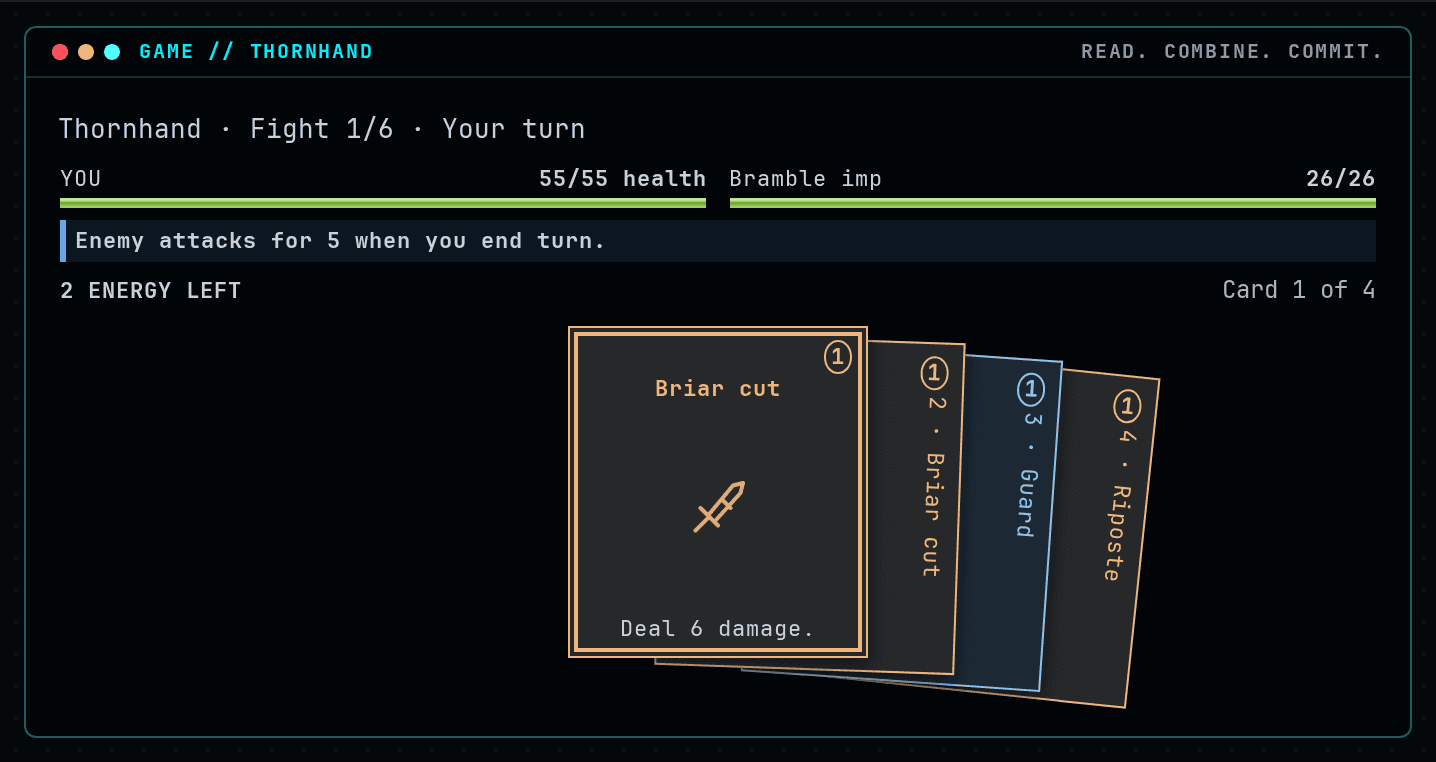
Begin with Guard to block the first attack, then spend the remaining energy on attacks.
How this command behaves
- Built for a solo session
- Build and keep real Bash files in ~/thornhand
- Automation records include gif and replay and run receipt
- Runs in the browser; nothing to install
- Playable entirely from the keyboard
Start it from the prompt
Usage
thornhand | thornhand --scriptAliases
None
Guides from the wiki
Ready when you are. The terminal will open directly into Thornhand.
Run $ thornhand →