Backspin: Build a Repeatable Auto-Plunger
Clone a forge helper, play alongside it, tune the launch, and record your change with Git. Includes contributor setup.
Let the script launch. You play the table.
A good launch is worth repeating. This helper waits for a ball at the plunger, pulls the spring for a chosen duration, and releases it. When the next ball arrives, it does the same thing again. You still work both flippers and decide when to nudge.
The default is 375 milliseconds. On the current Backspin table, an otherwise untouched launch lights B and C, two of the three contacts across the top. Holding Space or nudging changes the physical result, just as it would without a helper.
1. Clone the repository and make a branch
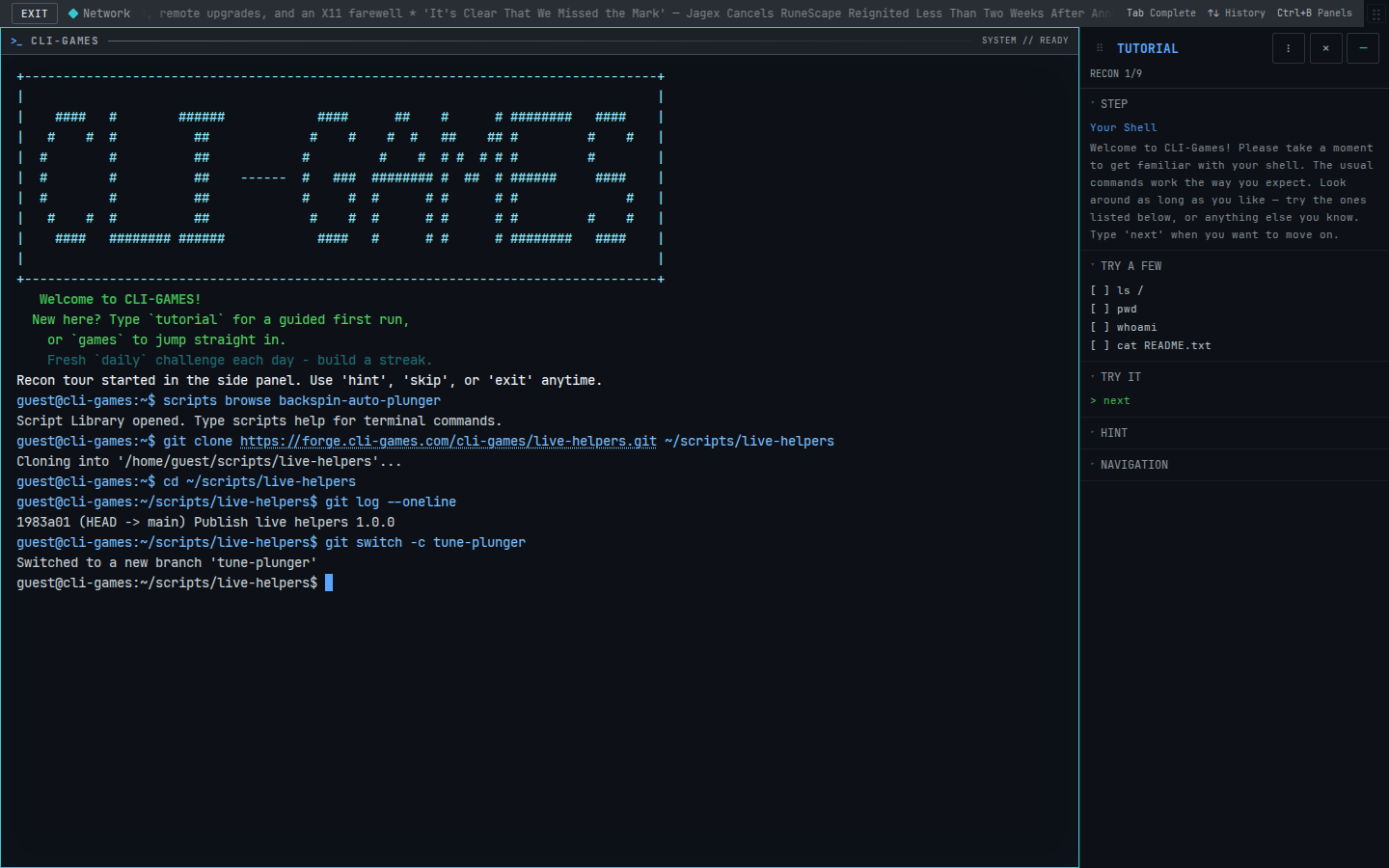
Use Git inside the CLI-Games terminal. The forge's own website is private, but the terminal can clone its reviewed repositories.
git clone https://forge.cli-games.com/cli-games/live-helpers.git ~/scripts/live-helpers
cd ~/scripts/live-helpers
git log --oneline
git switch -c tune-plunger
The repository contains both Backspin's plunger and Hairpin's gear helper, their license, and their Git history. git switch -c creates your own branch from the current checkout. Your experiment now has a name, while main retains the starting version.
Guests can clone, edit and commit locally. An account is optional for this walkthrough; contributor requirements come later. Cloning never runs the helper.
If you already cloned this repository here, skip git clone and use the existing directory. Git refuses to replace a nonempty directory. If you already made tune-plunger, use git switch tune-plunger to return to it. Keep any existing edits before switching; Git reports conflicts instead of discarding them.
2. Share a live round
backspin --script
run ~/scripts/live-helpers/backspin/auto-plunger.sh &
A new table starts if you were at the menu. If you are already playing, enter the run command directly to keep the same ball and score. script optionally opens the workbench; it is not required to run a helper.
The final & runs the helper in the background, leaving this terminal available for editing and other commands. Without &, run occupies the terminal and streams output. Ctrl+Z suspends that foreground job; bg resumes it in the background, and fg brings it back to the foreground.
Click the game to play: A/D or the arrow keys control the flippers. Leave Space alone while testing the launch. A human and a helper can hold the same spring; it releases only when both let go.
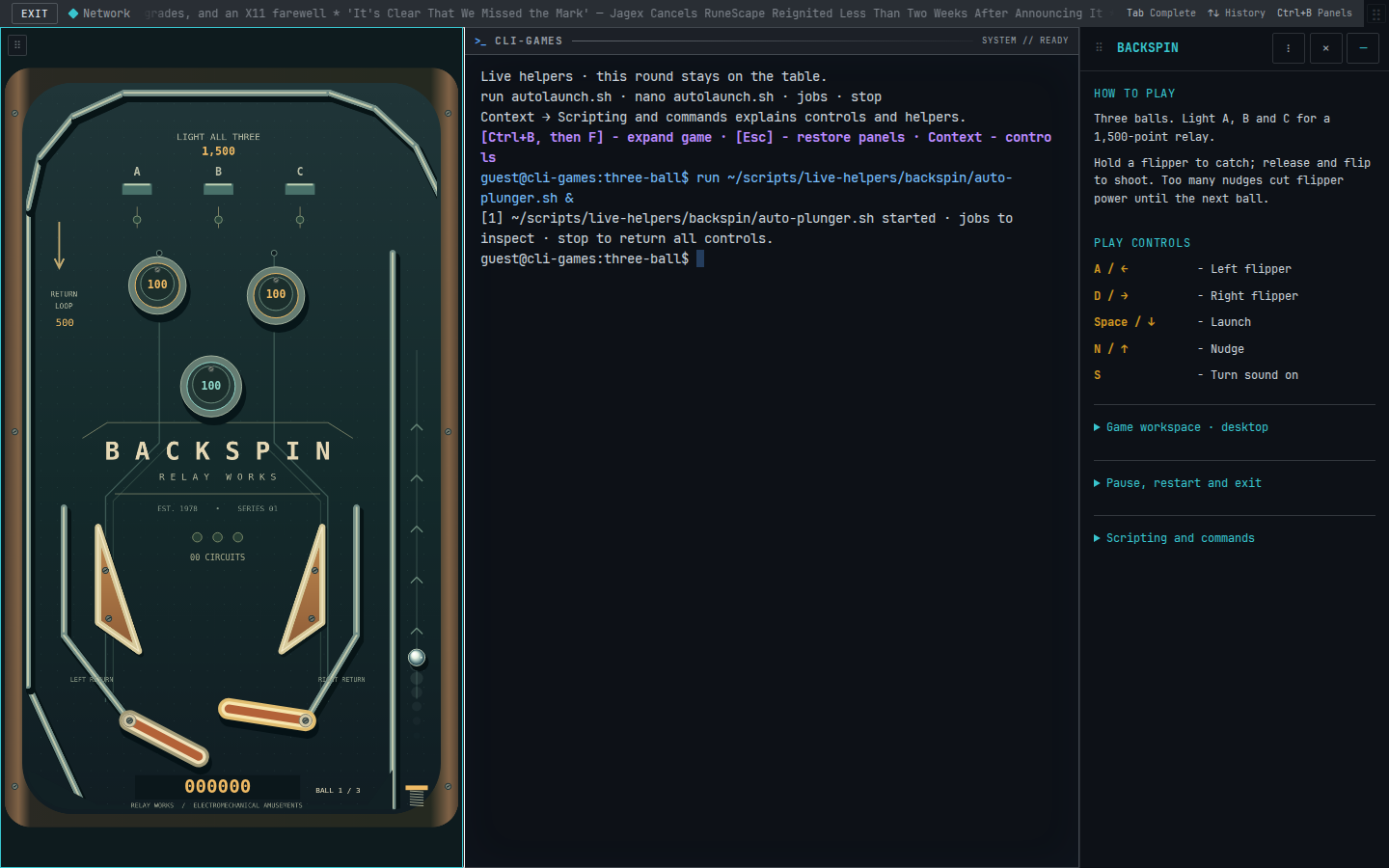
You can expand the workspace with Ctrl+B, then F. Ctrl+B, then G focuses the game; Ctrl+B, then T returns to the terminal. On a phone, use Type a command to reach the prompt.
3. Tune one number
nano ~/scripts/live-helpers/backspin/auto-plunger.sh
The useful part is small:
pull_ms=375
while [ "$(sense phase)" != over ]; do
  if [ "$(sense phase)" = plunger ]; then
    plunger pulse "$pull_ms"
  fi
  delay 20
done
plunger pulse pulls and releases the same physical spring as Space. It schedules the release on the table's clock, so uneven browser frames do not stretch the pull. The table runs at 120 ticks per second; requested durations round up to a whole tick. Pausing also pauses the pull.
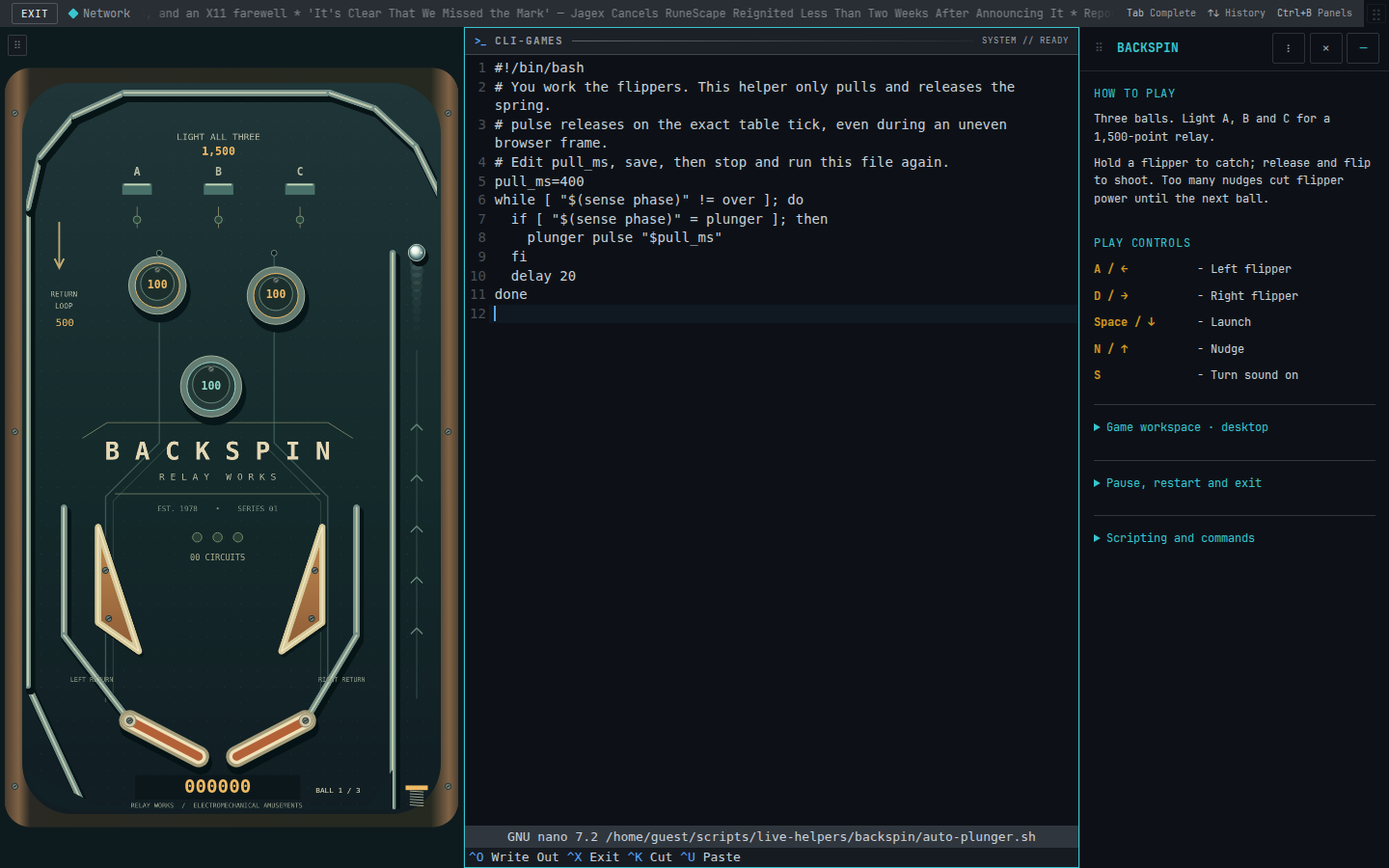
Try 400, save with Ctrl+O, press Enter, and leave nano with Ctrl+X. A running helper keeps the source it started with. Use jobs to find its number, then replace it:
kill %1
run ~/scripts/live-helpers/backspin/auto-plunger.sh &
Substitute the actual job number. stop stops every helper without resetting the ball. Stopping during a pull cancels that helper's spring hold safely. The helper repeats through the current round; run it again after starting a new round. Assisted scores stay local.
4. Inspect and commit your experiment
After trying the new launch, leave the table and return to the repository:
quit
cd ~/scripts/live-helpers
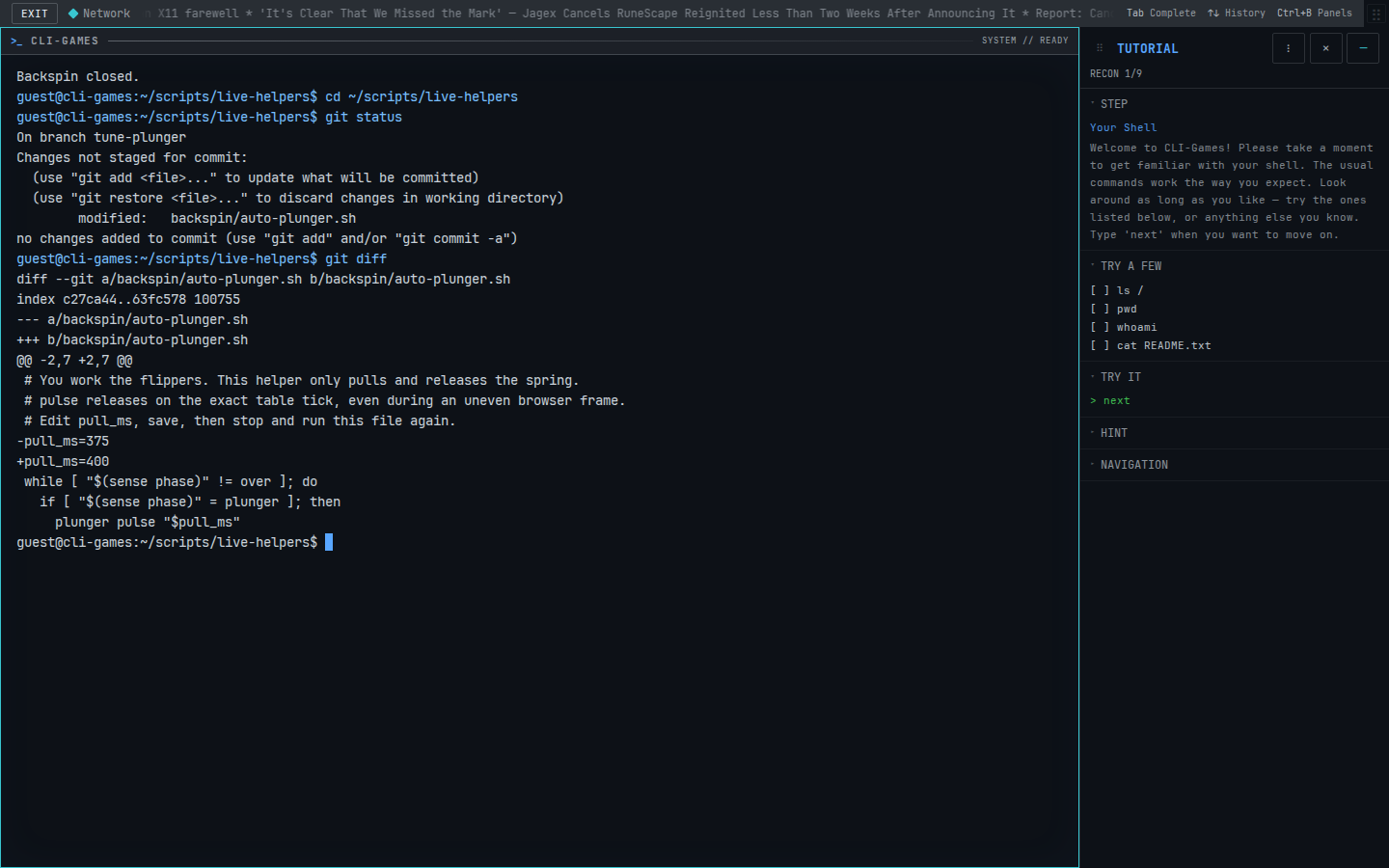
git status
git diff
git status names the changed file. git diff shows the exact edit: 375 removed and 400 added. Inspect it before recording anything.
git add backspin/auto-plunger.sh
git diff --cached
git commit -m "Try a 400 ms plunger pull"
git log --oneline
git status
git add stages the file's saved contents; git diff --cached checks what the commit will contain. git commit records that snapshot with your explanation. The final status should say the working tree is clean, and the log should include your new commit above the published starting point.
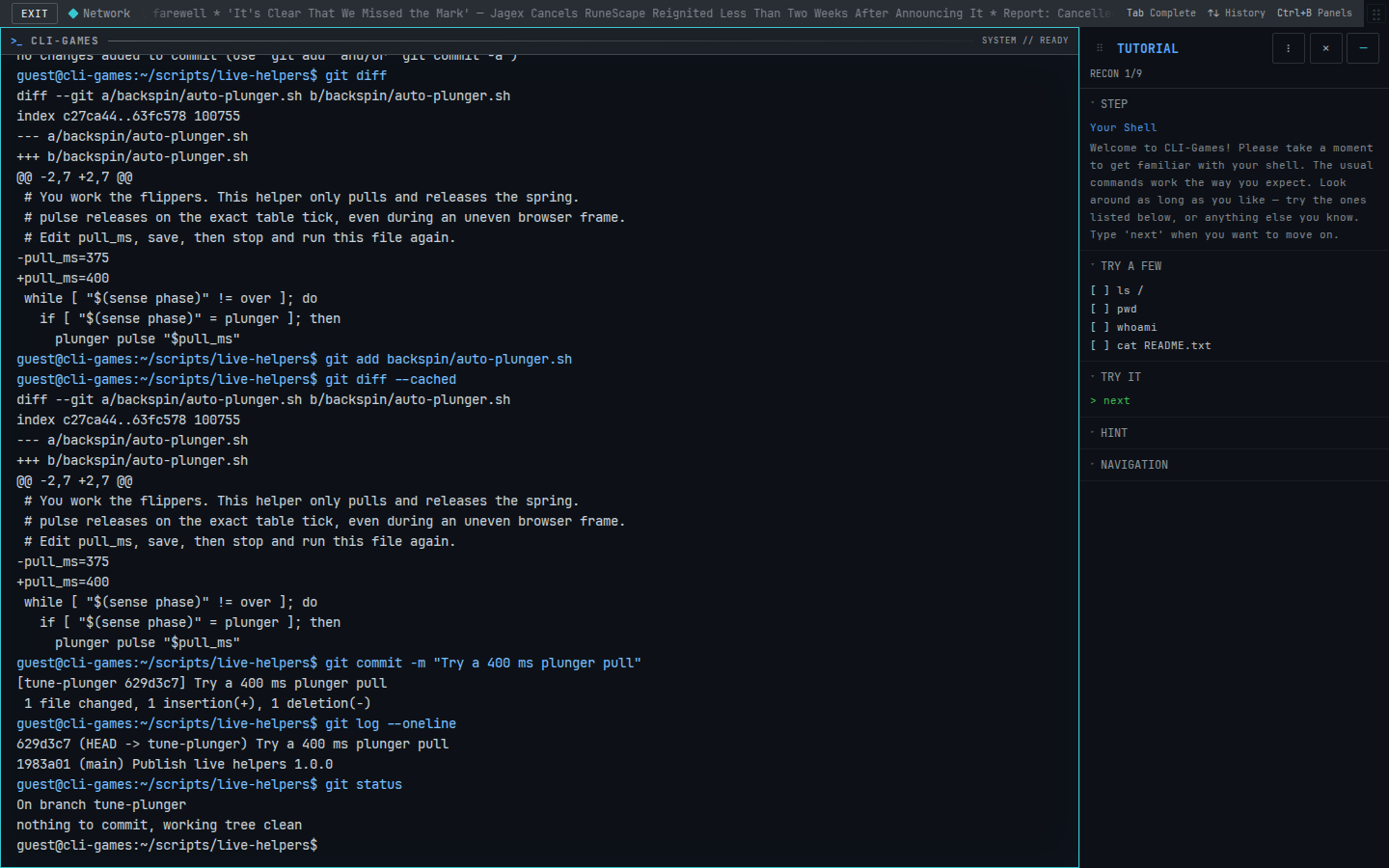
Saving in nano changes a file. Committing gives that version a place in history. A local commit does not publish anything. You can keep playing from your branch and make another commit for the next experiment. These Git steps also apply to programs written in other languages; this particular helper runs in Bash.
Your terminal supplies a local Git identity if you have not configured one. Before contributing, follow the account and identity steps below; local practice commits are not automatically eligible for a public push. Keep the license and attribution with code you share.
5. Accounts and contributor terms
Cloning, editing and committing locally need no forge enrollment. To create a CLI-Games account, leave the game and type signup. Follow the prompts, then use confirm with the six-digit code sent to your email. If you already have an account, use signin instead. Never put your password in a script or commit.
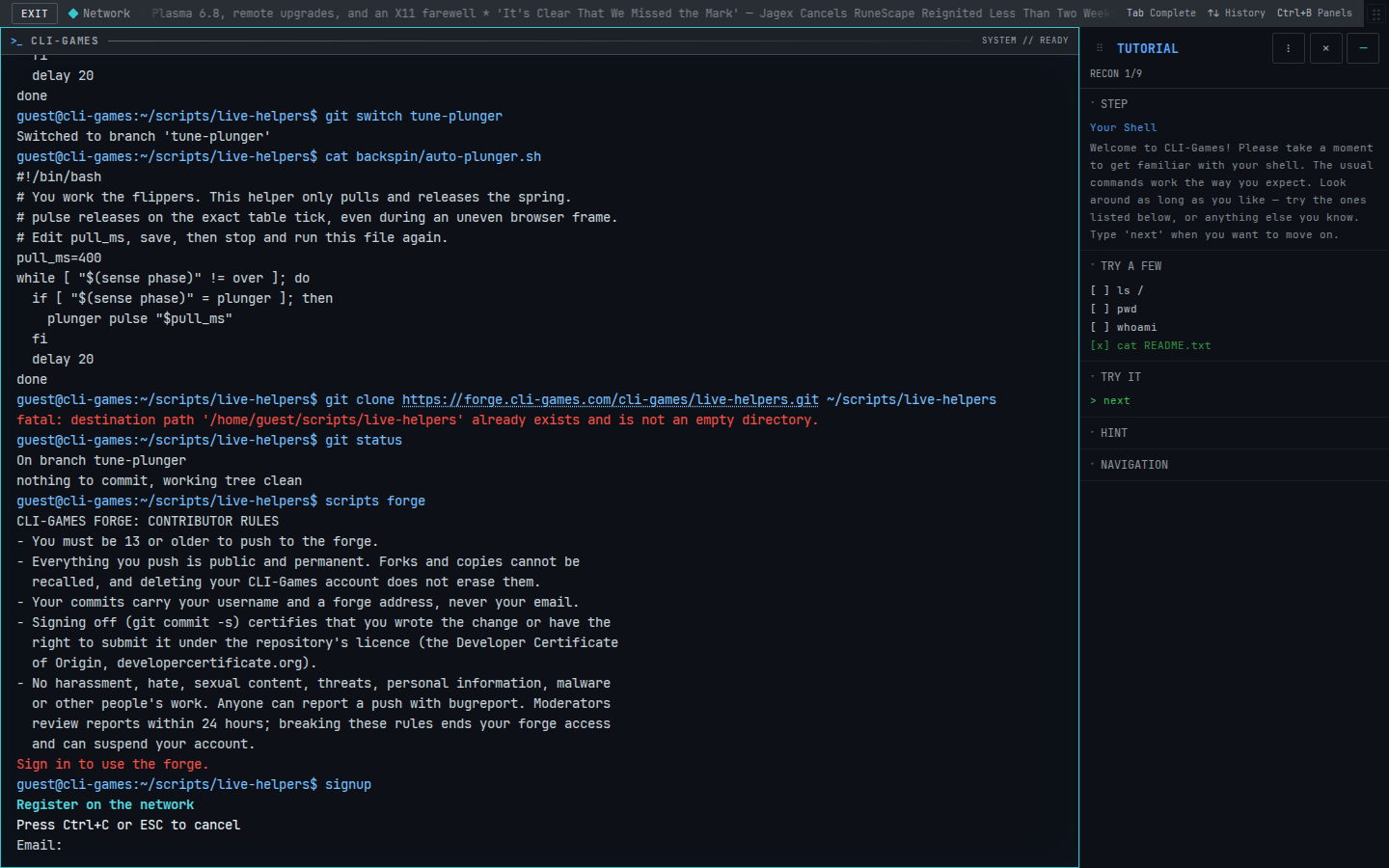
Publishing is currently invite-only. A verified account alone does not grant forge write access. To inspect your access and read the rules, type:
scripts forge
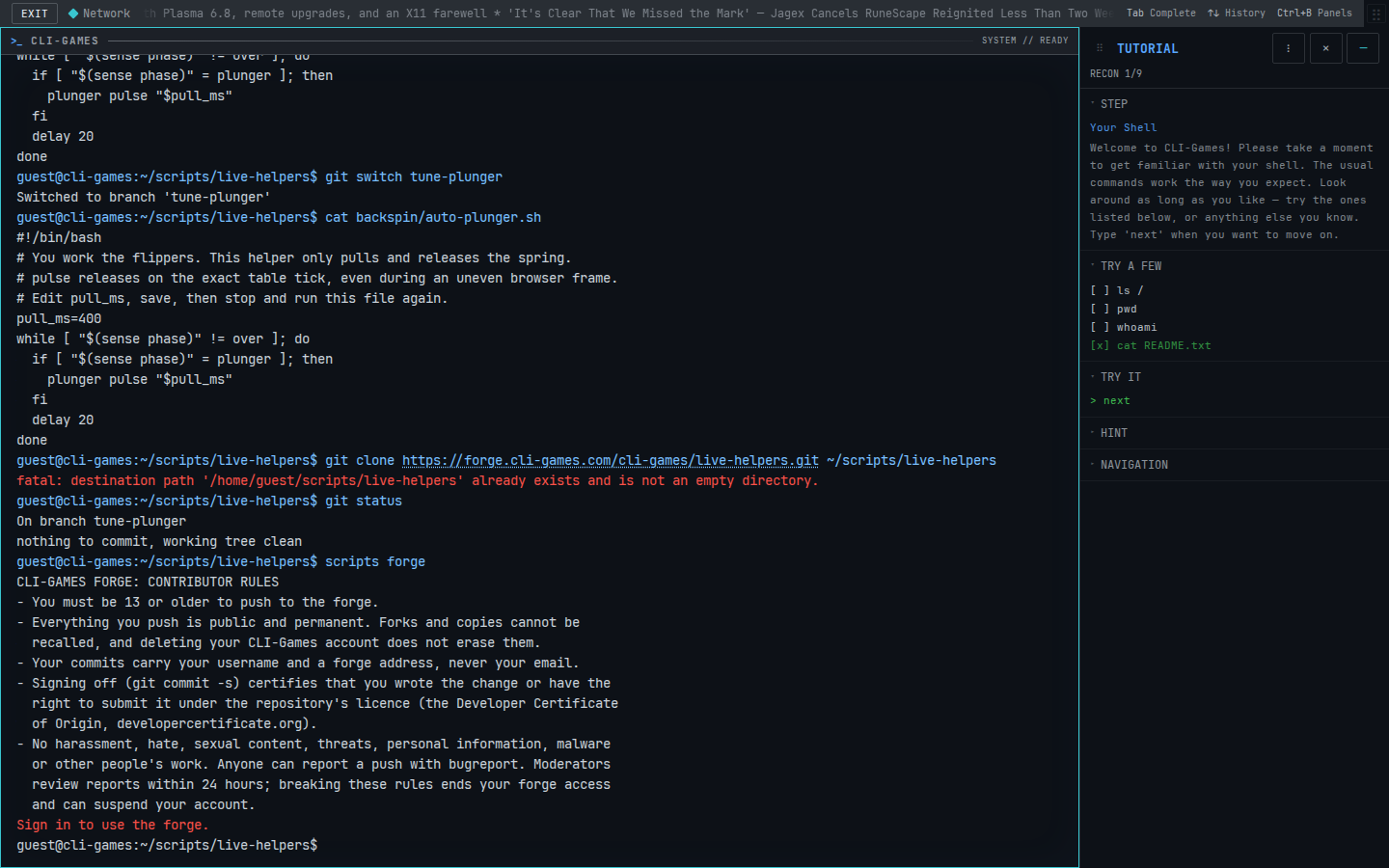
An invited contributor who has read the rules can personally accept them with:
scripts forge agree
This declares that you are 13 or older and accept the contributor rules. It sets your Git identity to your forge username and a forge address, keeping your email out of commits. If you type agree before viewing the rules, the terminal shows them first and asks you to run it again. Already accepted accounts show that status through scripts forge.
The terminal lists any writable forks assigned to you. The live-helpers repository is read-only in this release; accepting the terms does not create a writable fork for it. You can still install, clone, experiment and play. Contributor pushes to assigned forks require signed-off commits (git commit -s) and become public and permanent.
Want another small division of labor? Try Hairpin's automatic gears.