Hairpin: Let a Helper Shift the Gears
Clone the automatic gear helper, drive the kart yourself, and use Git to record your shift-point experiments.
You steer. The helper shifts.
Hairpin's automatic gear helper watches the engine and shifts one gear at a time. You keep the accelerator, brake and steering. It is a short Bash program you can read and change, running beside you on the same kart.
1. Clone the helpers and make a branch
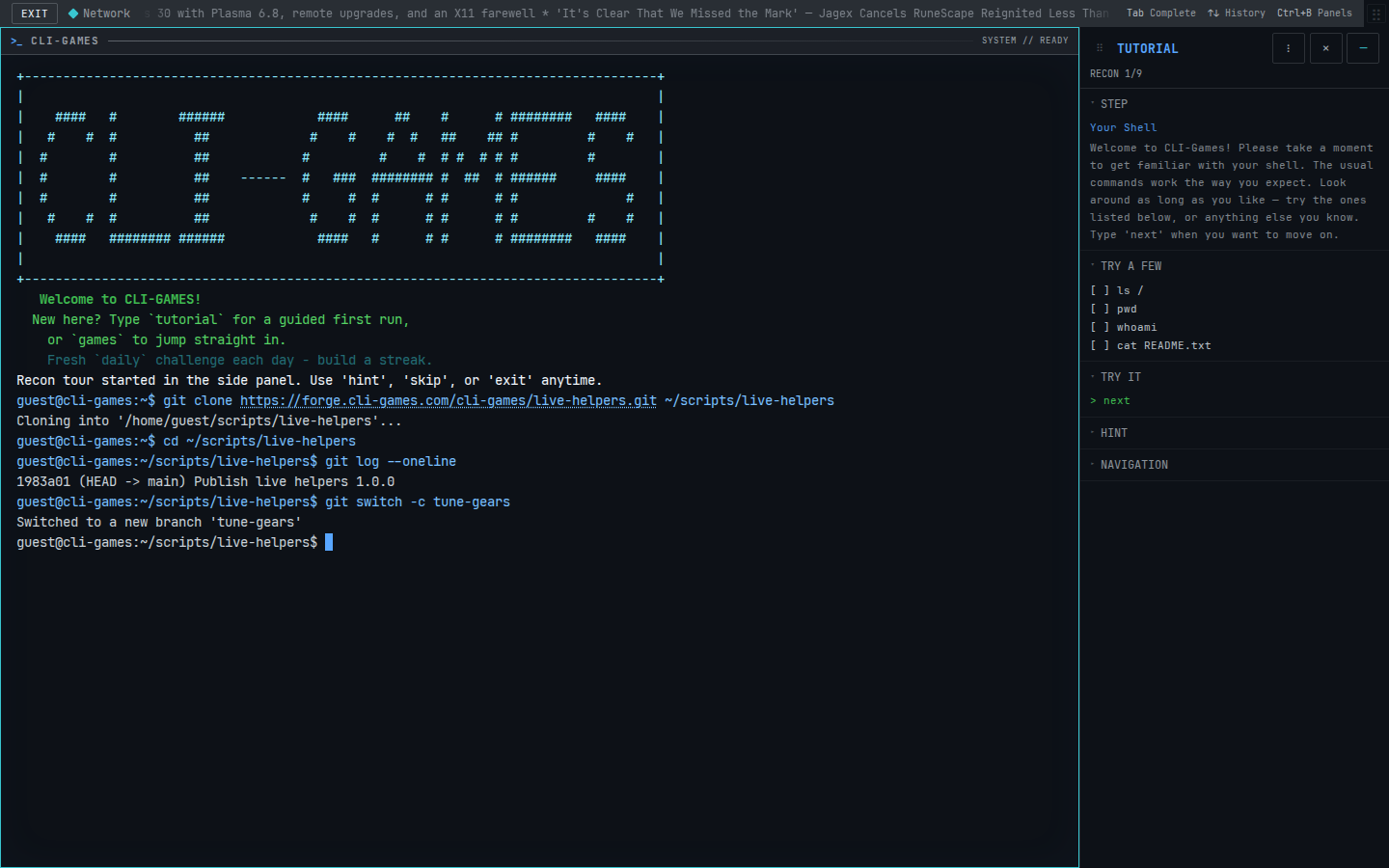
In the CLI-Games terminal, type:
git clone https://forge.cli-games.com/cli-games/live-helpers.git ~/scripts/live-helpers
cd ~/scripts/live-helpers
git log --oneline
git switch -c tune-gears
This is the same repository used by the Backspin auto-plunger guide. If you already cloned it here, skip the clone and use that directory. If the branch already exists, use git switch tune-gears instead. A new branch begins from your current checkout; Git refuses a switch that would overwrite conflicting edits.
The clone includes the source, license and Git history. Guests can clone, edit and commit locally. Cloning never runs code or replaces a nonempty directory. Use the in-game terminal: the forge's own website is private.
2. Start driving together
For a fresh practice drive:
hairpin --script
mode practice
go
run ~/scripts/live-helpers/hairpin/auto-gears.sh &
If you are already driving, enter the run command directly. Keep your existing drive; there is no need to choose a mode or start again. script optionally opens the workbench; it is not required to run a helper.
The final & runs the helper in the background, leaving this terminal available for editing and other commands. Without &, run occupies the terminal and streams output. Ctrl+Z suspends that foreground job; bg resumes it in the background, and fg brings it back to the foreground.
Click the game and use the normal steering and pedals. The helper only changes gears. Pressing a driving key does not stop it. You can shift manually too, although the helper may shift again when its thresholds say to.
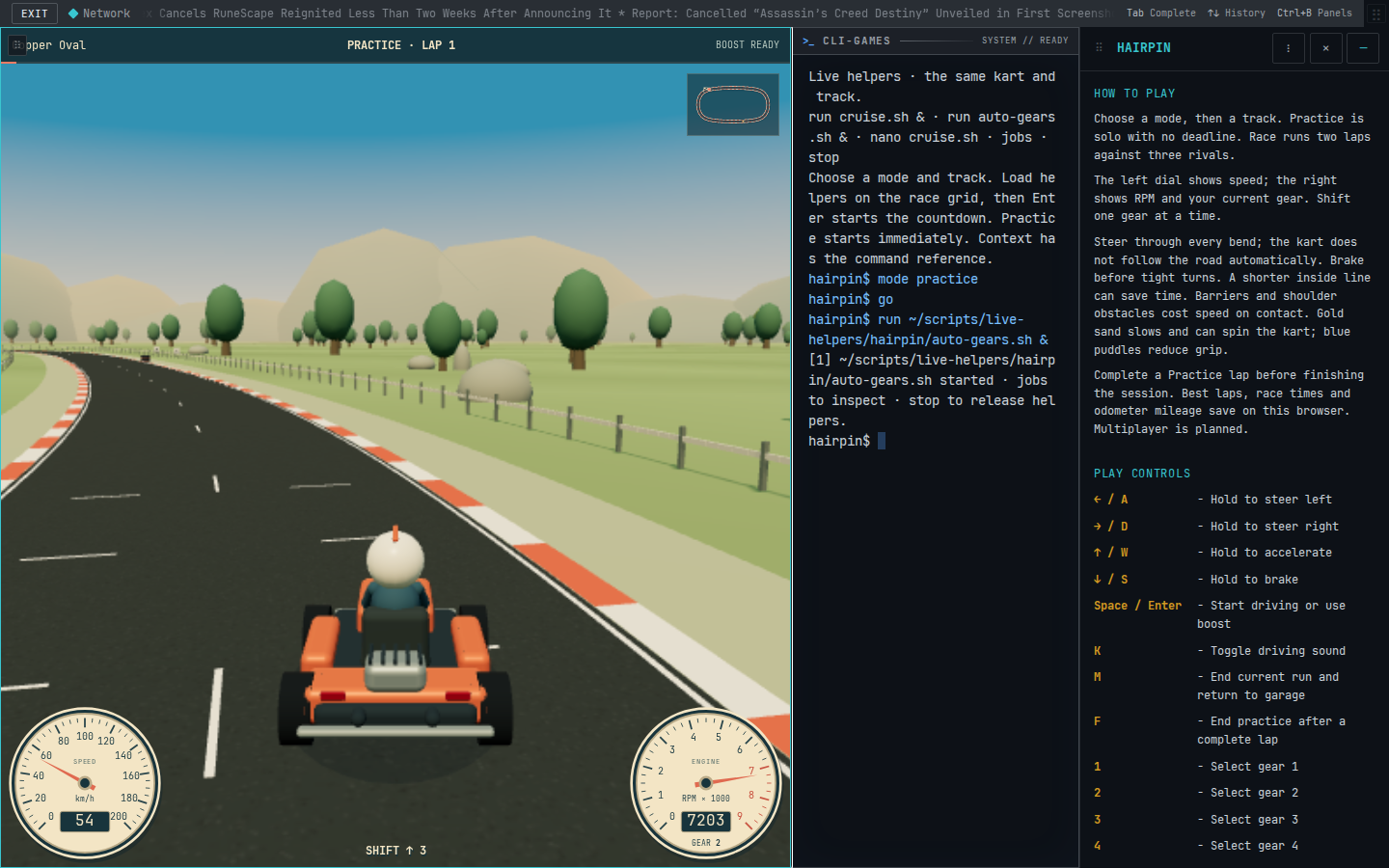
Ctrl+B, then F expands the workspace. Ctrl+B, then G focuses the game; Ctrl+B, then T focuses the terminal. Pausing the drive also pauses helper time. Live results stay local.
3. Read the policy and change it
nano ~/scripts/live-helpers/hairpin/auto-gears.sh
The helper waits at least 150 milliseconds of game time between gear and RPM checks:
current=$(scan gear)
rpm=$(scan rpm)
if [ "$rpm" -gt 82 ] && [ "$current" -lt 6 ]; then
  gear "$((current + 1))"
elif [ "$rpm" -lt 36 ] && [ "$current" -gt 1 ]; then
  gear "$((current - 1))"
fi
Here, RPM is a percentage of the engine's range, not literal revolutions per minute. The two thresholds leave a gap: the helper shifts up above 82 and down below 36. That gap helps prevent repeated shifts back and forth around one boundary.
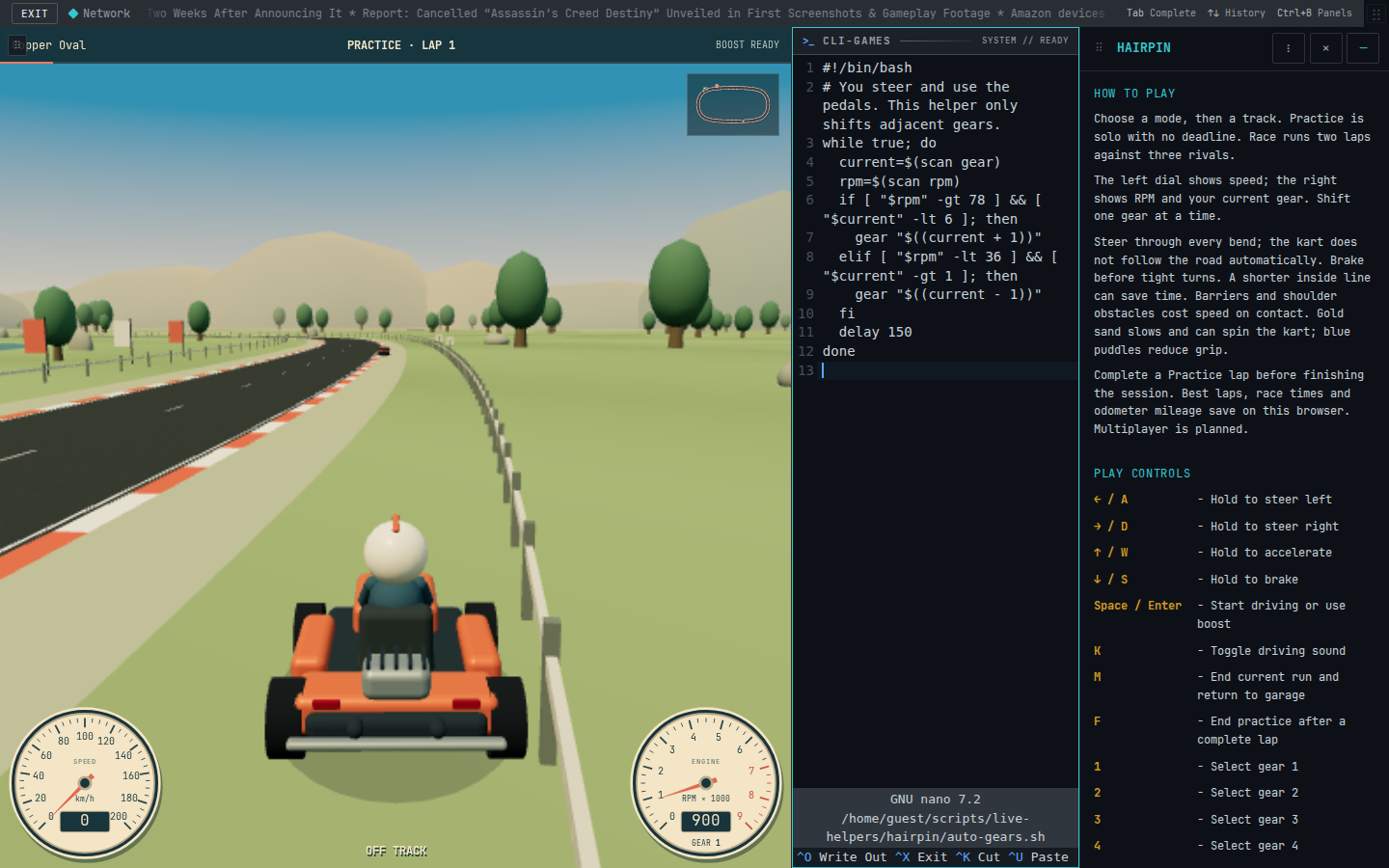
Try changing 82 to 78. Save with Ctrl+O, press Enter, then Ctrl+X to return. Saved edits apply when you launch a new job. Run jobs, find the existing helper's number, and replace it:
kill %1
run ~/scripts/live-helpers/hairpin/auto-gears.sh &
Use the actual job number in place of %1. stop stops all helpers. Neither command restarts the kart or releases keys you are physically holding. Starting a new drive clears the old helpers, so run the file again for the next drive.
4. Review the change and commit it
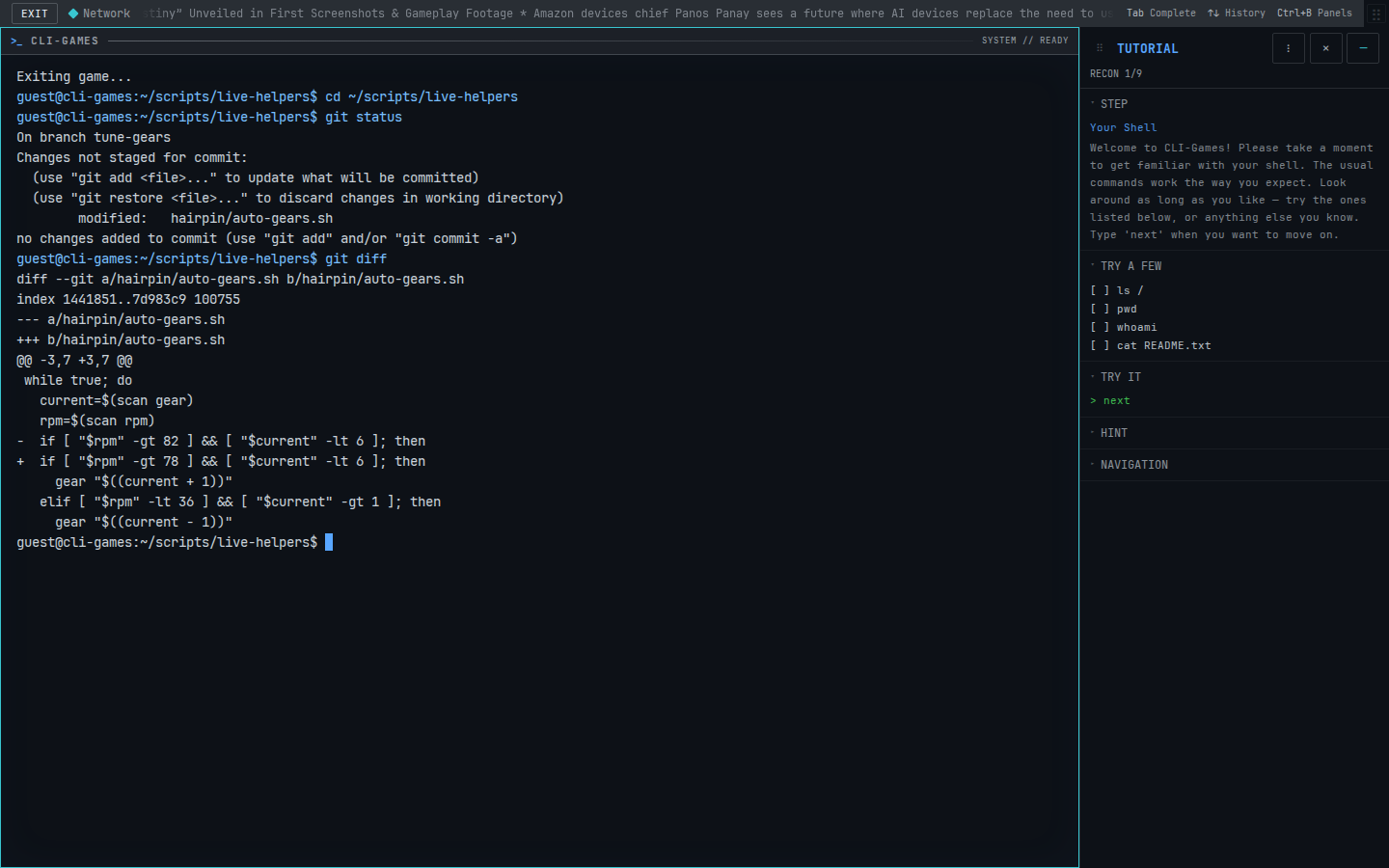
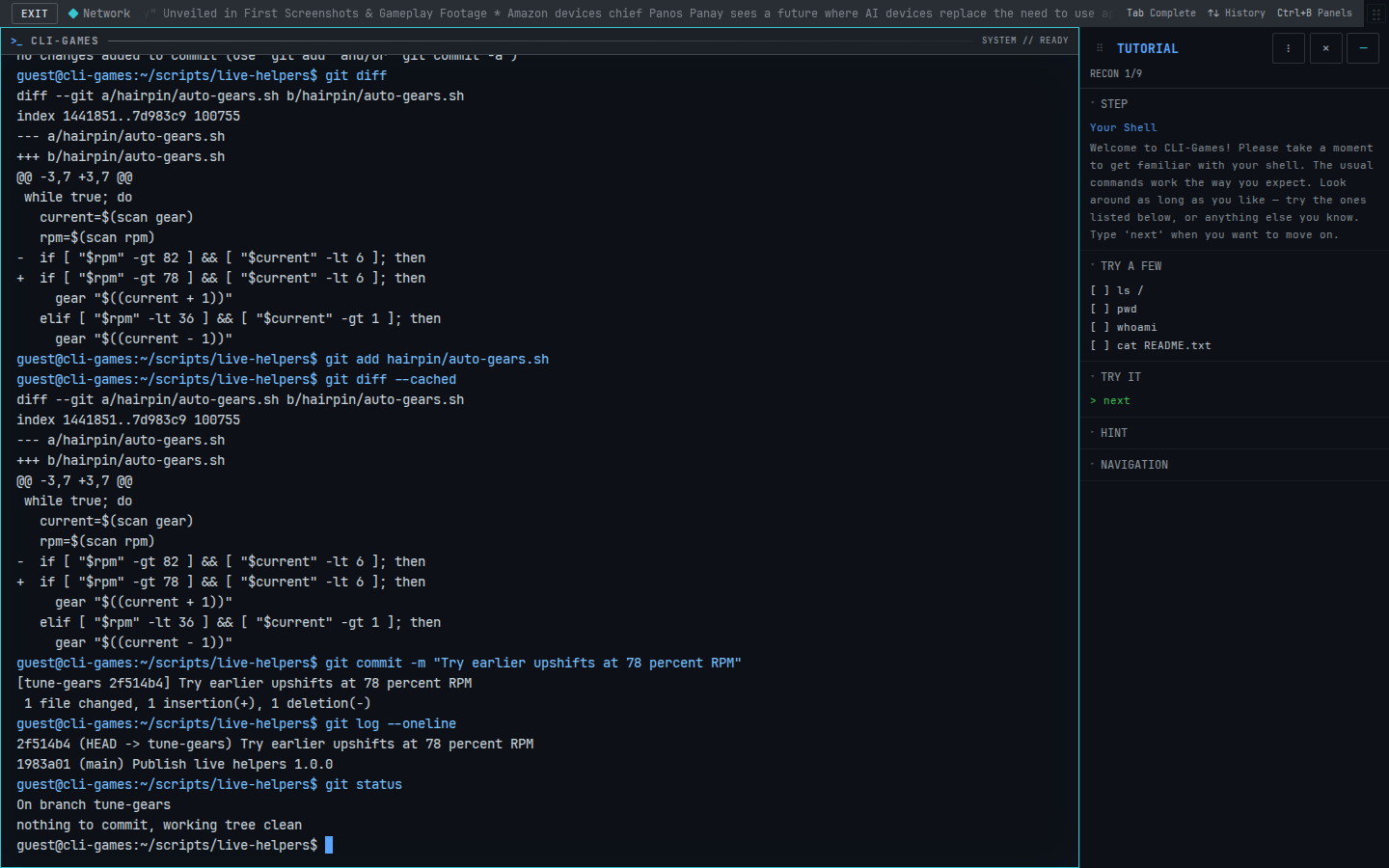
After testing the new threshold, leave the drive and inspect your working tree:
quit
cd ~/scripts/live-helpers
git status
git diff
The diff should show 82 changed to 78. This records your intended experiment precisely: earlier upshifts, with the downshift threshold untouched.
git add hairpin/auto-gears.sh
git diff --cached
git commit -m "Try earlier upshifts at 78 percent RPM"
git log --oneline
git status
Staging selects the saved file contents. The cached diff lets you review that selection, and the commit records it with a reason. Your working tree should now be clean. You can run the helper from this branch and make further commits as you tune it.
Committing locally does not publish your work. The terminal supplies a local Git identity for practice. For account creation, email verification, contributor identity and personally accepting the terms, follow Accounts and contributor terms. Public contributions require a verified, invited contributor aged 13 or older, an assigned writable fork and signed-off commits. This official helper repository is still read-only in the current contribution pilot.