Termiclanker: Player Base Walkthrough
Build, test, deploy, discover, and raid a player-authored Termiclanker base with defensive and attacking shell scripts.
Build a Termiclanker Base and Raid It
Termiclanker player bases are a little like Clash of Clans, except the village is a text file and both sides show up with shell scripts.
The defender gets a 24-point field budget, a private defense.sh, and a simple objective: stay alive until the clock runs out. The attacker gets to see the entire public layout, choose an ingress point, and write an attack.sh specifically for what is waiting inside. The attacker also starts with 12 HP to the defender's 5. If the fight comes down to robot versus robot, that advantage is intentional.
That is the bargain. The defender prepares for every possible attack; the attacker studies one particular base and tries to crack it. This walkthrough goes through the complete loop from both accounts.
Open the gate
The base server listens on port 8022, but your firewall still decides who gets through. A fresh account allows incoming traffic from registered players by default, but in case yours is different, here is how you open it. Here, I'm opening the Termiclanker port to allow only my alt account in:
ufw allow from frank to any port 8022
That rule lets frank discover and attack this base without giving the account access to every other service. Substitute the player or IP you actually want to admit. Once the firewall is ready, launch the base workbench directly with termiclanker --base.
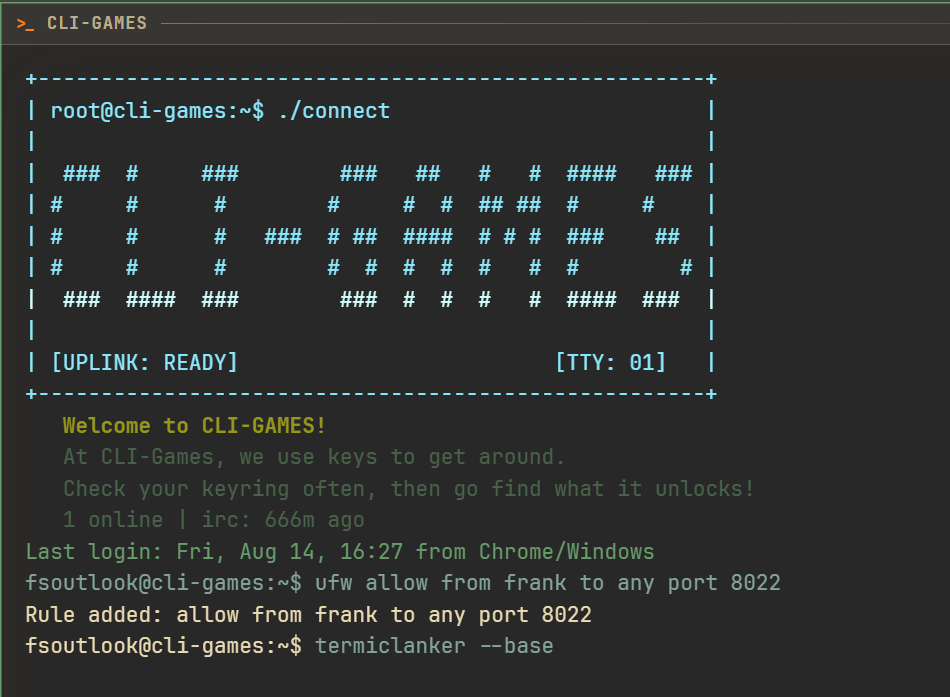 Port 8022 is
 klnkd, the Termiclanker player-base service.
Initialize the base
If you do not have a local base yet, the workbench will tell you to run base init. Initialization creates the managed base directory, the starter map, your defender firmware, a sample attacker, and a README. It only creates missing files; running it again will not wipe out work you have already authored.
base init
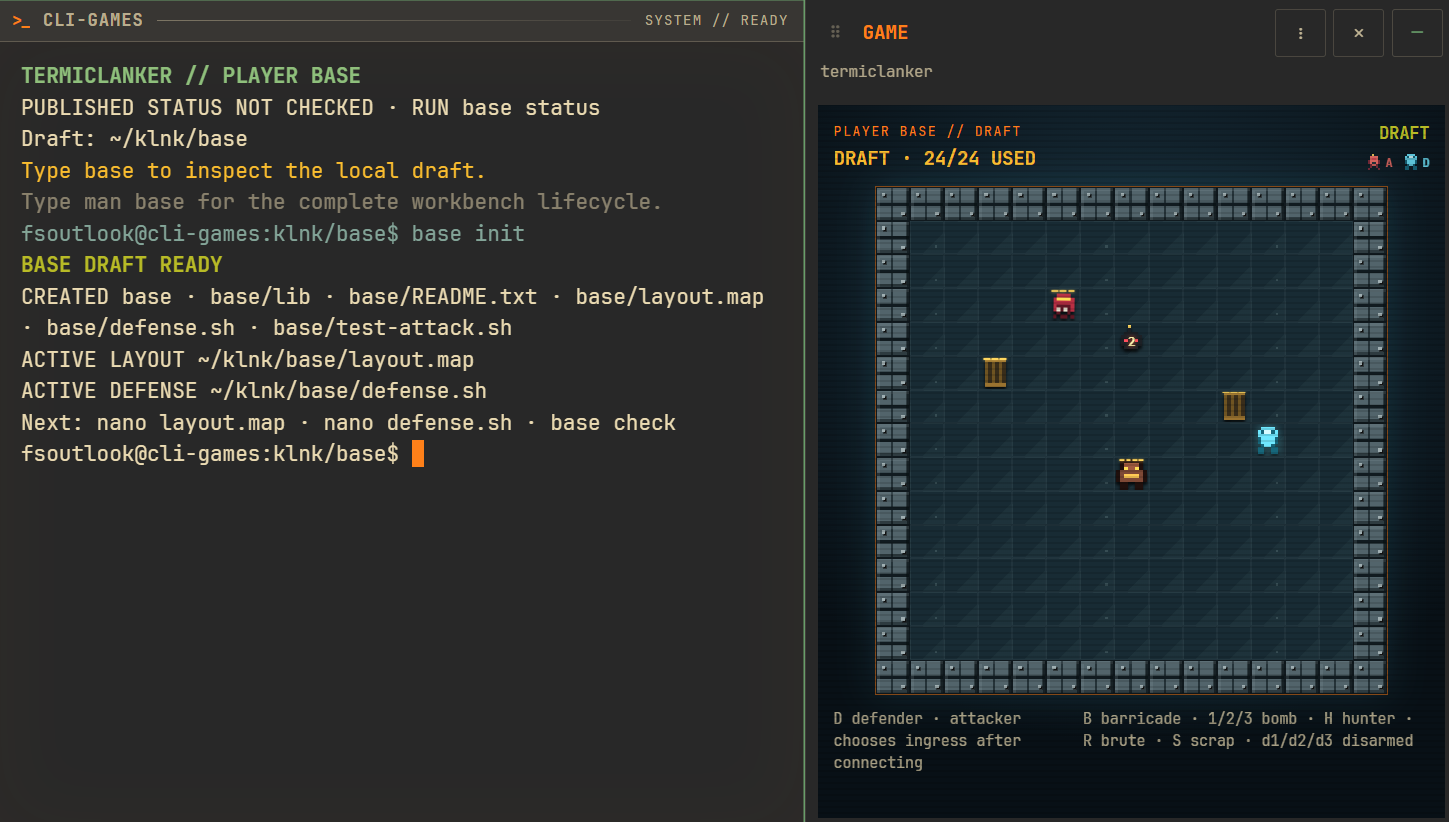 The factory draft is legal immediately, so you can start by changing one thing at a time.
Run ls to see what was created, then read README.txt. The two active files are layout.map and defense.sh. Other maps and scripts can sit beside them as experiments, but they do nothing until you copy or source them into those active entries.
Spend the field budget
Open the map with nano layout.map or vim layout.map. The file is a 15-by-15 grid. Its outside # border is fixed and unbreakable; everything you place goes in the interior.
The defender has 24 points to spend on defensive assets. You could spend less, but don't do that:
| Glyph | Defense | Cost |
|---|---|---|
D | Your defending robot | 0 |
B | Three-hit barricade; leaves scrap | 1 |
1 / 2 / 3 | Bomb requiring that many clean defuses | 2 / 4 / 6 |
H | Hunter | 8 |
R | Brute | 10 |
Spend the points however you want. Twenty-four barricades is legal. So are three hunters, two brutes with four barricades, or twelve one-cut bombs if you are feeling reckless. The budget is the constraint; the strategy is yours.
For this test, I spent 14 points wrapping the defender in barricades and the other 10 on a brute guarding the only opening. The theory was simple: funnel the attacker into the brute and let it do the ugly work. Should work, right?
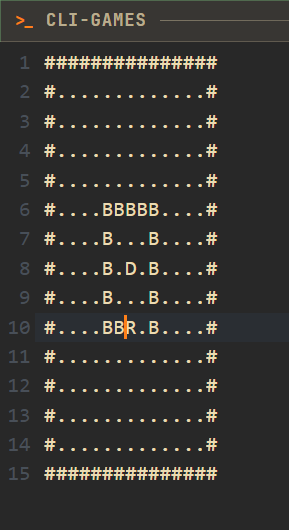
layout.map is deliberately plain ASCII even though the live board uses sprites.
After the file is saved, the Game panel renders the same field in a more civilized form. You can also force a fresh rendering with base preview.
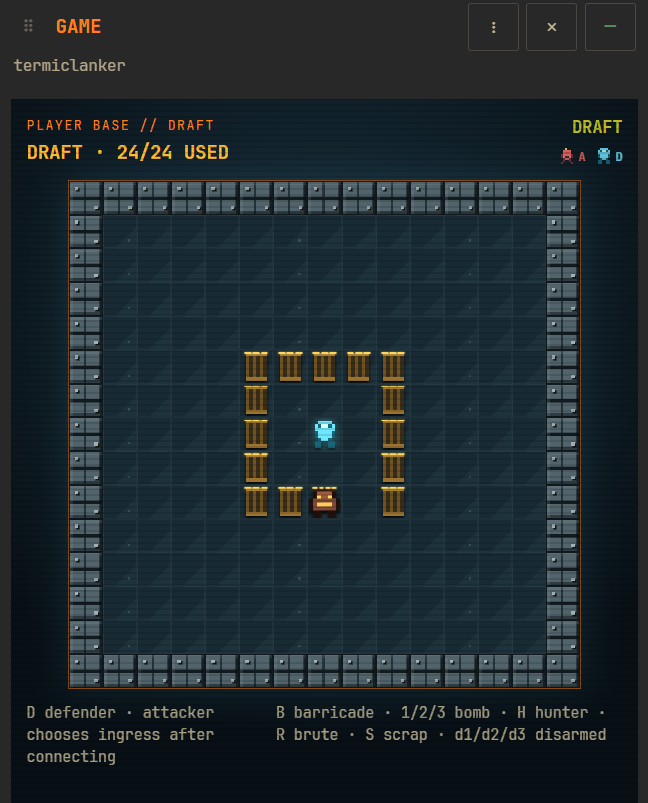 Fourteen barricades plus one brute uses the full 24-point budget.
Check the map and write the defender
Before trusting your masterpiece, run:
base check
The check validates the dimensions, glyphs, fixed perimeter, budget, defender placement, script permissions, and the source bundle used by defense.sh. It also prints the complete asset and cost breakdown. If you are over budget, that breakdown still appears so you can see exactly where the points went.
The D on the map is your robot. Its behavior comes from defense.sh, which you can edit with either nano defense.sh or vim defense.sh. Barricades, hunters, brutes, and bombs follow their built-in battlefield rules; you are scripting the defender chassis itself. I left the default defense in place for the example run.
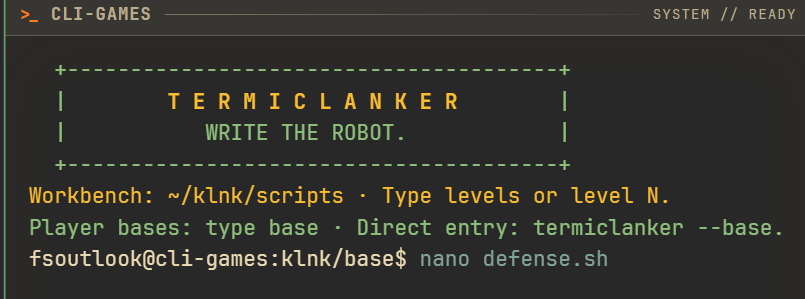 The defender's source remains private even after deployment.
Rehearse before publishing
You do not have to expose an untested base to the network. The starter test-attack.sh gives you a local attacker, and base test runs it against the exact draft and defender firmware currently on disk:
base test test-attack.sh 1 7
The final 1 7 is a zero-based attacker spawn coordinate. Any chosen ingress must be an empty interior cell at least six eight-way moves from D. You can edit test-attack.sh and repeat the test from different legal positions until the defense fails in an interesting way instead of an embarrassing one.
This local rehearsal held: the attacker was destroyed on tick 11. Local tests are unranked, do not change either account's record, and are not retained as raid evidence, which is why there is no downloadable raid GIF at this stage.
Now, publish the draft with base deploy. A deploy creates a new immutable revision and opens its port-8022 listener; later edits stay private until you deploy another revision.
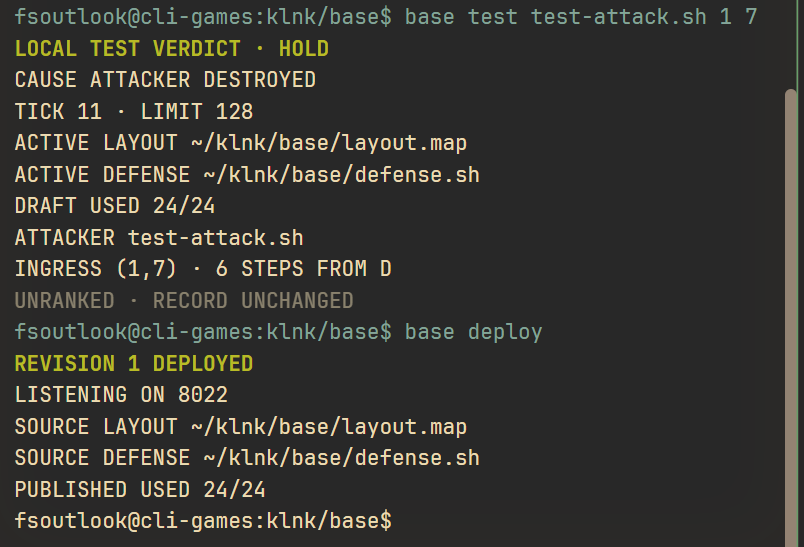 The same command output separates the unranked rehearsal from the live revision.
Find the base from another account
Now switching sides. From the attacking account, scan the network for klnkd listeners. -Pn matters because a deployed base can stay online even when its owner is not actively using the site:
nmap -Pn -p 8022 10.10.0.0/16
The scan found fsoutlook at 10.10.1.21. Connect to the dedicated raid service with:
ssh -p 8022 fsoutlook
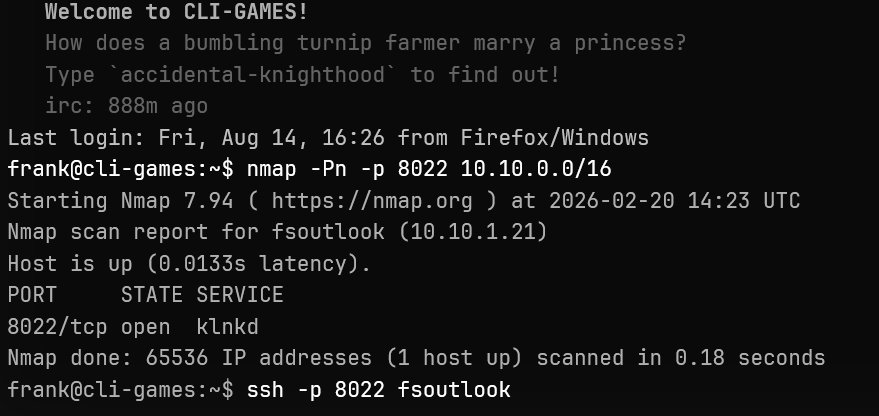 This is not a normal port-22 visit; it opens a private challenger workbench pinned to the published revision.
Here, you can see that fsoutlook's base is exactly how we configured it a minute ago. Being able to see the defender's base before you make the attack is one of the attacker's main advantages. The layout crosses the connection boundary; defense.sh does not.
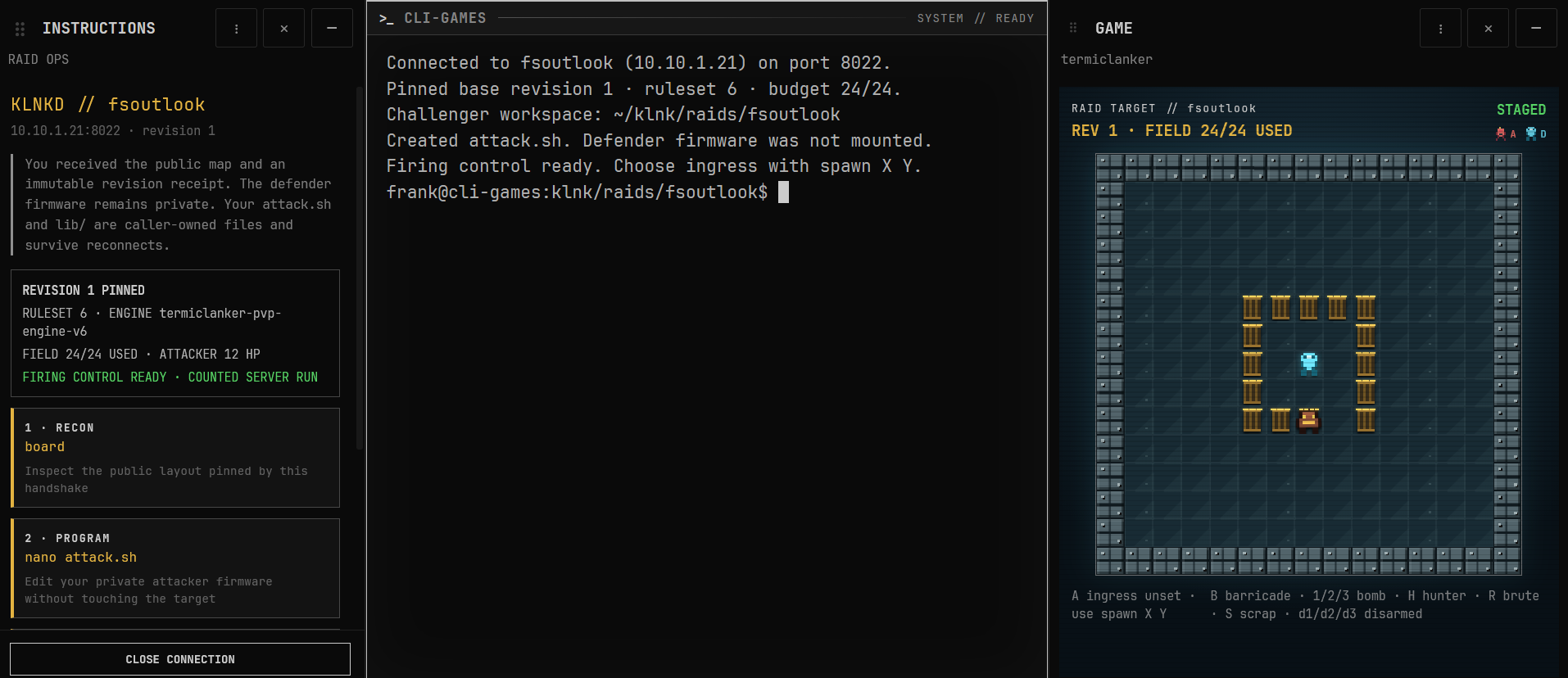 The attacker receives the public layout and revision receipt, but not the defender's firmware.
The connection also creates a private workspace at ~/klnk/raids/fsoutlook. Its attack.sh belongs to the attacker and persists for future attempts against this target. Edit it with nano attack.sh or vim attack.sh. I left the starter script alone here too, which gives us a clean script-versus-script baseline.
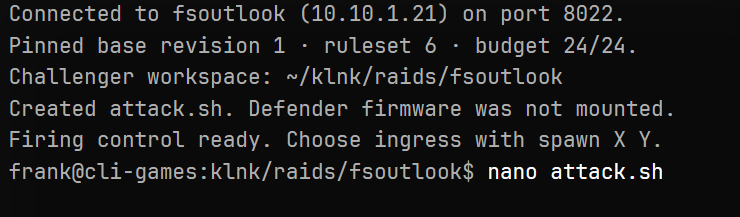 The attacker's script is private from the defender in exactly the same way the defender's script is private from the attacker.
Pick another angle and attack
The local test attacked from (1,7), straight into the barricade line. Repeating that exact setup would prove very little, so I moved the live attacker to the bottom-right side of the field:
spawn 12 13
run attack.sh
spawn does not spend a raid. It only selects and validates the ingress. run attack.sh submits the counted attempt.
This angle changed the entire fight. The brute never got close enough to join the action, leaving the two robots to settle it themselves. With 12 starting HP against 5, the attacker won the direct exchange and breached the base in eight ticks. The same layout and scripts that held from the west failed from the southeast. That is exactly the sort of assumption this mode is built to punish.
After the result appears, gif last downloads the retained battle. You can also use the eight-character raid code printed in the receipt.
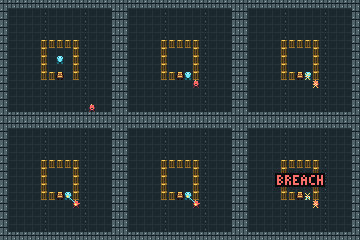 The counted raid ends in a breach; unlike the local rehearsal, it becomes shared evidence.
Read the result from the defender's side
Back on the defending account, base status checks the active draft and reports the published revision, listener, budget, and win-loss record. base log 1 shows the most recent counted raid:
base status
base log 1
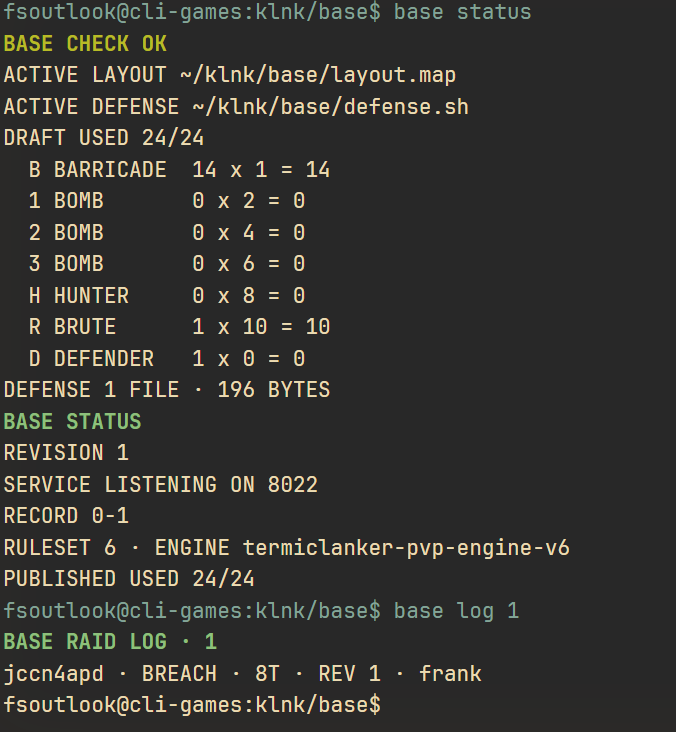 Both participants see the same result and the same short raid code.
From either side, load the latest battle back into the Game panel with replay last, or address it directly with replay jccn4apd. The GIF commands follow the same pattern: gif last or gif jccn4apd.
One attack is not a verdict on the whole system; it is information. Maybe the brute belongs somewhere else. Maybe the opening should face a different direction. Maybe defense.sh should stop running in circles. Change the draft, test it from several ingress points, and deploy the next immutable revision when it earns your confidence.
That is the full loop: build a theory in ASCII, encode a defender, let another person study it, and see which script survives contact with reality.
Keep exploring
- Termiclanker — launch the game and work through the solo scripting levels
- The Network — player hosts, discovery, firewall rules, and service ports
- Type
man base— the complete defender workbench lifecycle
- Type
man klnkd— field costs, combat rules, raid limits, replays, and GIF export